Why are my emails going to spam or not being delivered to clients?
Last updated: June 4, 2026
Overview
If confirmation emails, delivery notifications, or other automated emails from Tonomo are ending up in your clients' spam folders or not being delivered at all, this guide will help you resolve the issue.
Primary Cause: Generic Email Addresses
The most common reason for email delivery problems is using a generic email address (like Gmail, Yahoo, or Outlook) instead of a domain-authenticated email address.
Why This Matters
Email providers treat domain-authenticated emails as more trustworthy and legitimate. Generic email addresses lack proper authentication and are more likely to be flagged as spam or blocked entirely.
The Solution: Switch to Domain-Authenticated Email
Change your company email to one that matches your verified domain.
Example:
❌ Instead of:
yourname@gmail.com✅ Use:
info@yourdomain.comorhello@yourdomain.com
How to Update Your Email
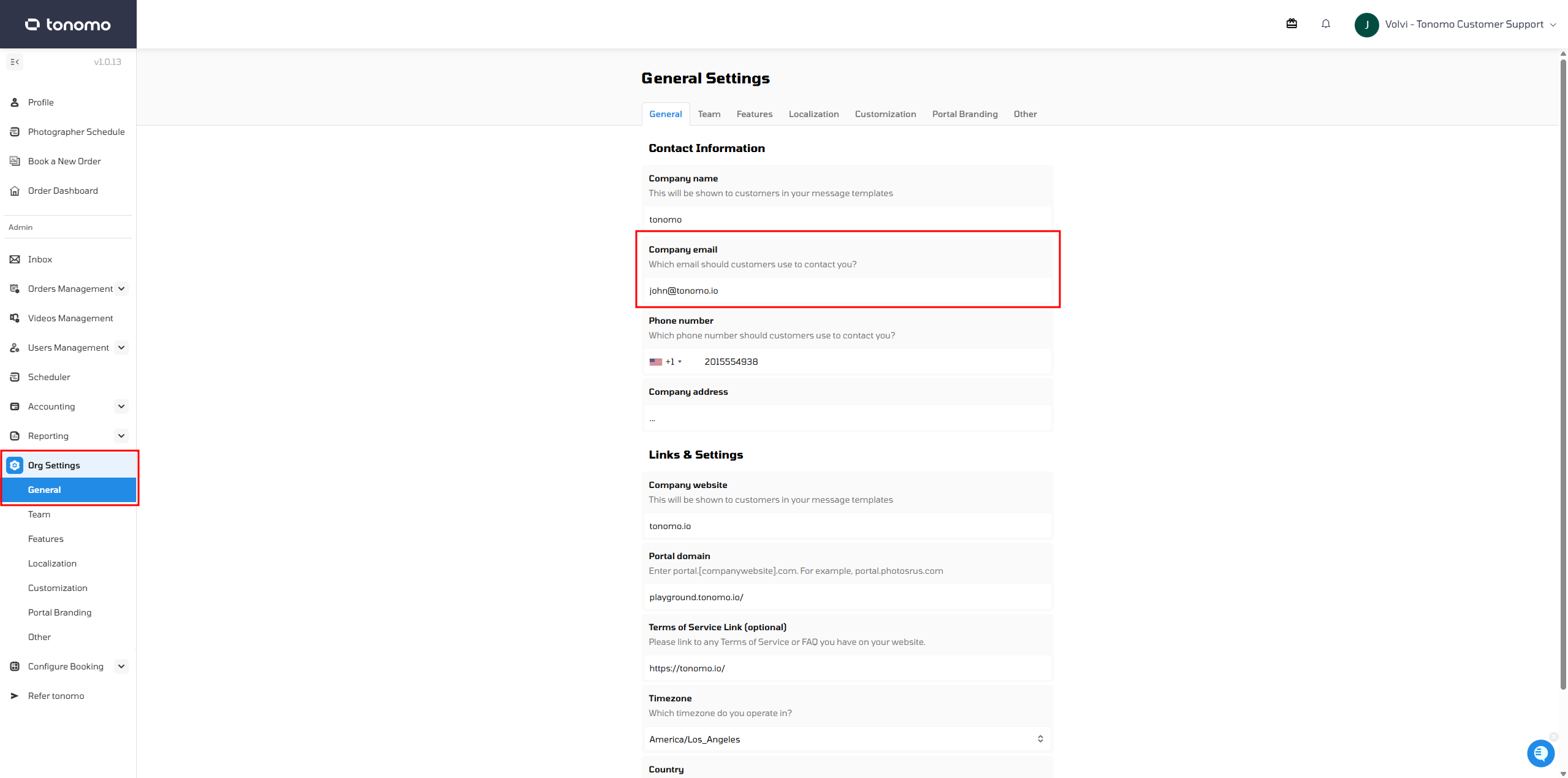
Go to Org Settings → General
Update the Company Email field to your domain email
Click Save Changes
Secondary Issues to Check
If you've already switched to a domain email and are still experiencing delivery problems, verify the following:
Email Configuration in Booking Flows
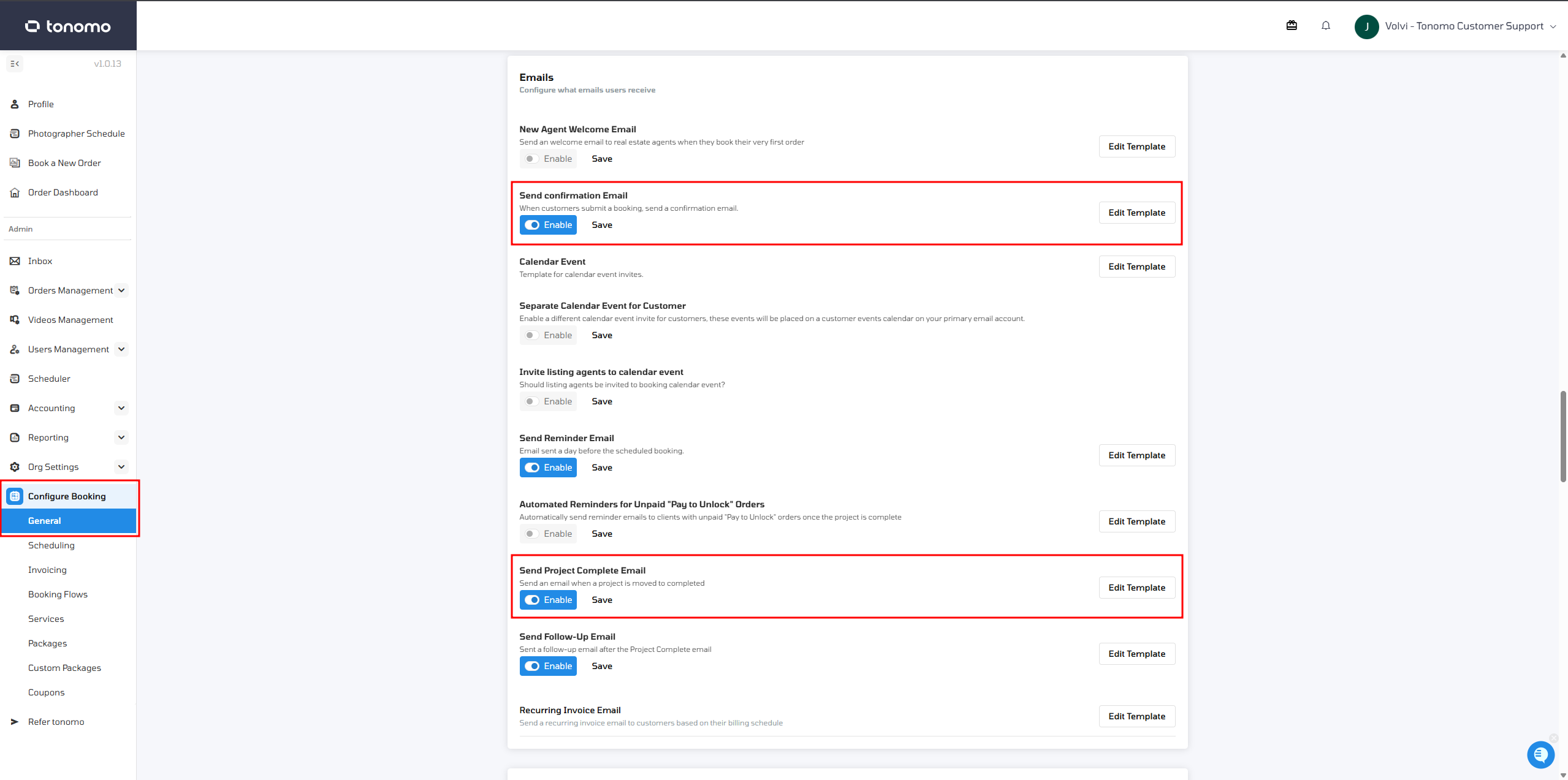
Ensure confirmation emails are enabled in your booking flow settings:
Go to Booking Flow Settings
Verify that confirmation emails are enabled
Check that project completion emails are disabled as well
Save any changes
DNS Records Configuration
Email deliverability problems may occur if DNS records are missing or misconfigured. This is especially common after updating your website or DNS settings.
If you suspect DNS issues, contact Tonomo Support to verify that all required email authentication records are properly configured (CNAME, TXT, and A records).
Temporary Workarounds
While you resolve the permanent issue, ask your clients to:
Check their spam or junk folders for your emails
Add your email address to their contacts
Mark your emails as "Not Spam" - this trains their email provider to deliver future emails to their inbox

Bounced Email Addresses
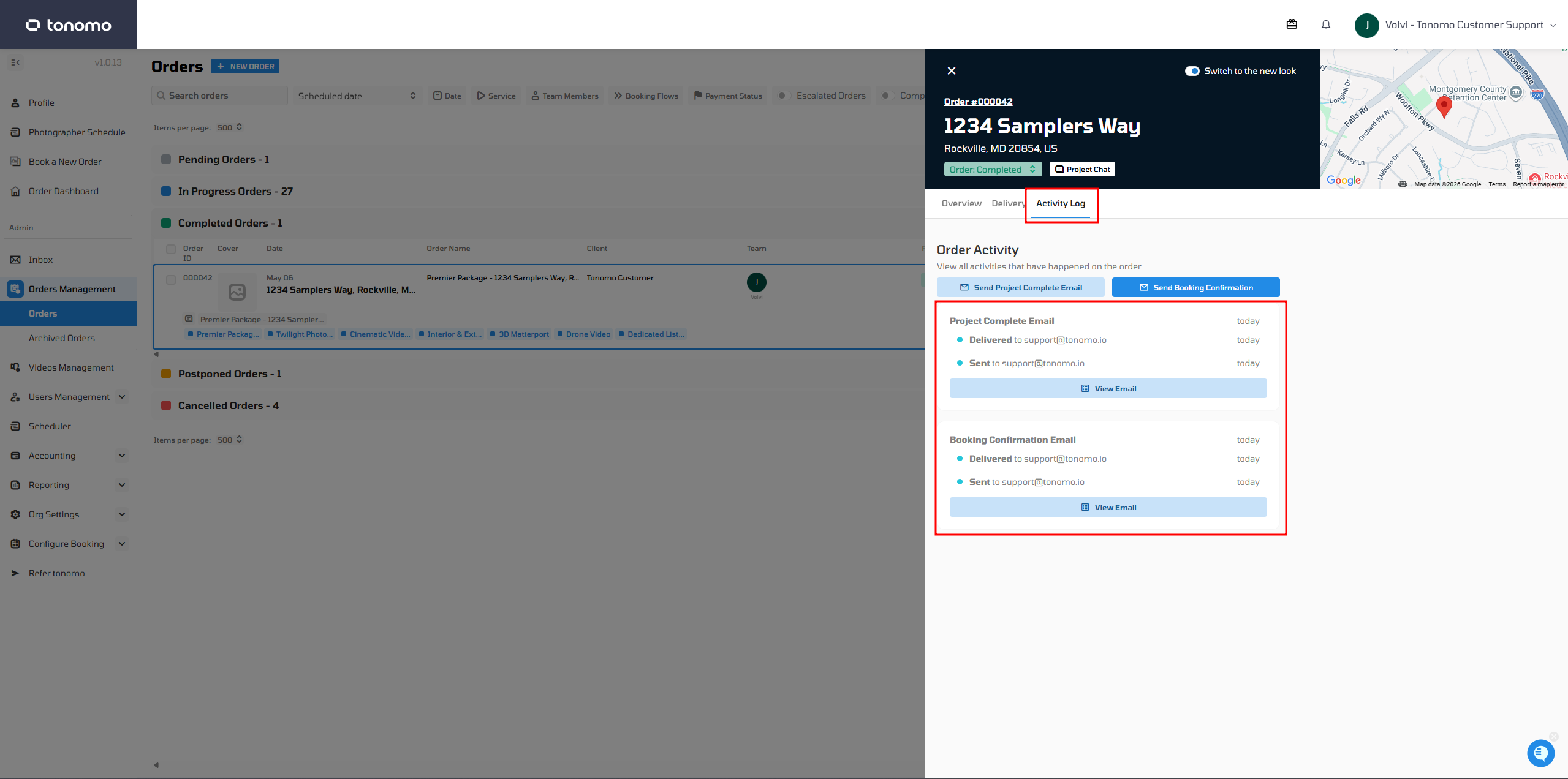
If a client's email has bounced multiple times, the system may stop sending emails to that address to protect deliverability. The Admin can check the Email Log under the Activity Log section of the Order Details.
To resume sending to a bounced email:
Contact Tonomo Support to have the email removed from the bounce list
Summary: Best Practices
Issue | Solution |
|---|---|
Generic email address | Switch to domain email (e.g., info@yourdomain.com) |
Emails still not delivering | Verify DNS records and booking flow settings |
Client can't find emails | Ask them to check spam folder and mark your emails as "Not Spam" |
Bounced emails | Contact Tonomo Support to remove from bounce list |
The most effective way to ensure reliable email delivery is to use a domain-authenticated email address. This single change resolves the majority of email delivery issues.