Editor Reporting
Last updated: August 28, 2025
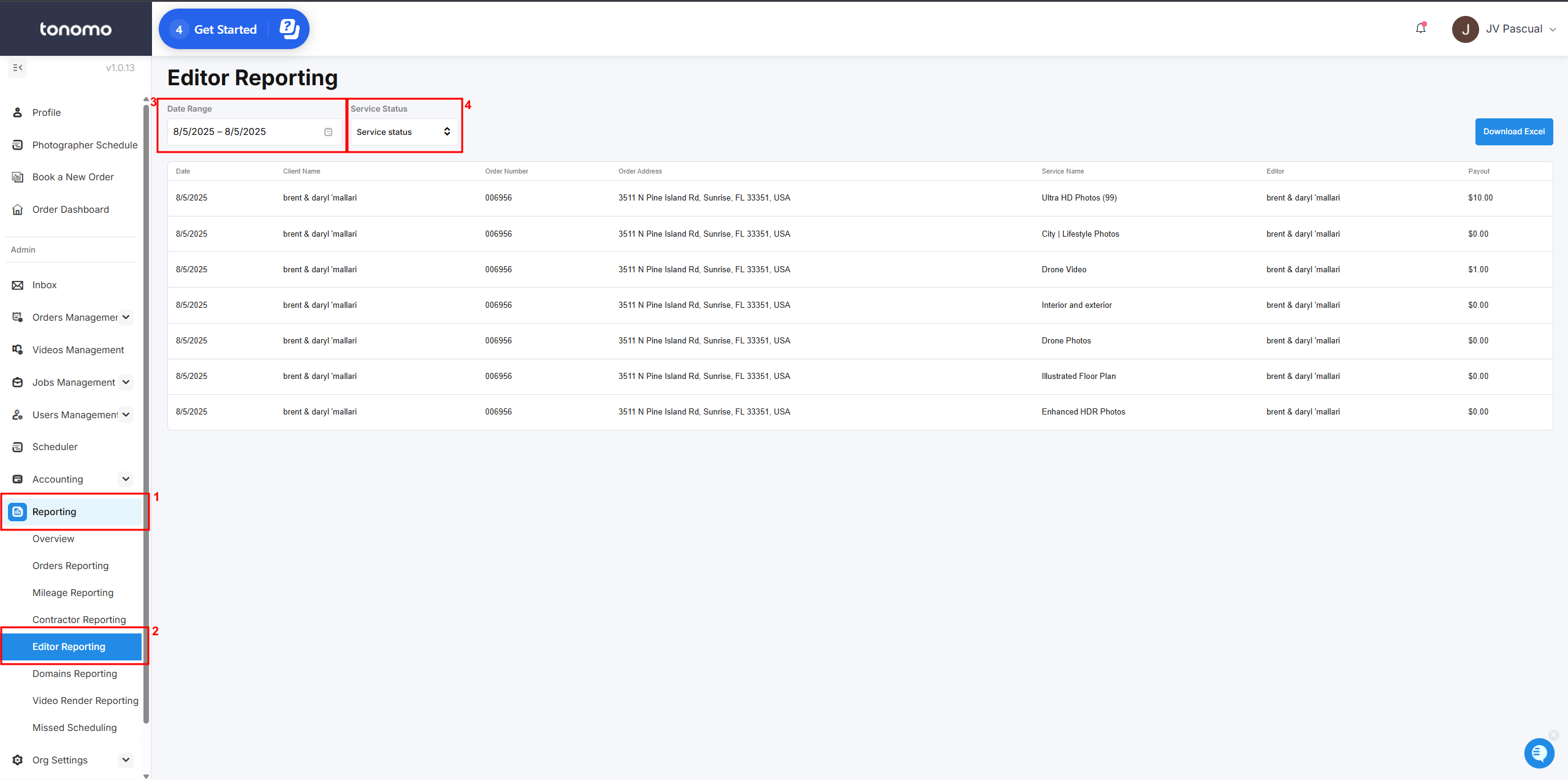
Editor Reporting helps you quickly calculate what you owe your editors for their work. You can find it under the Reporting section.
To view data, first set a date range. You can then filter services by status—for example, showing only completed services. You also have the option to download the data as a CSV file.
How to Set Up
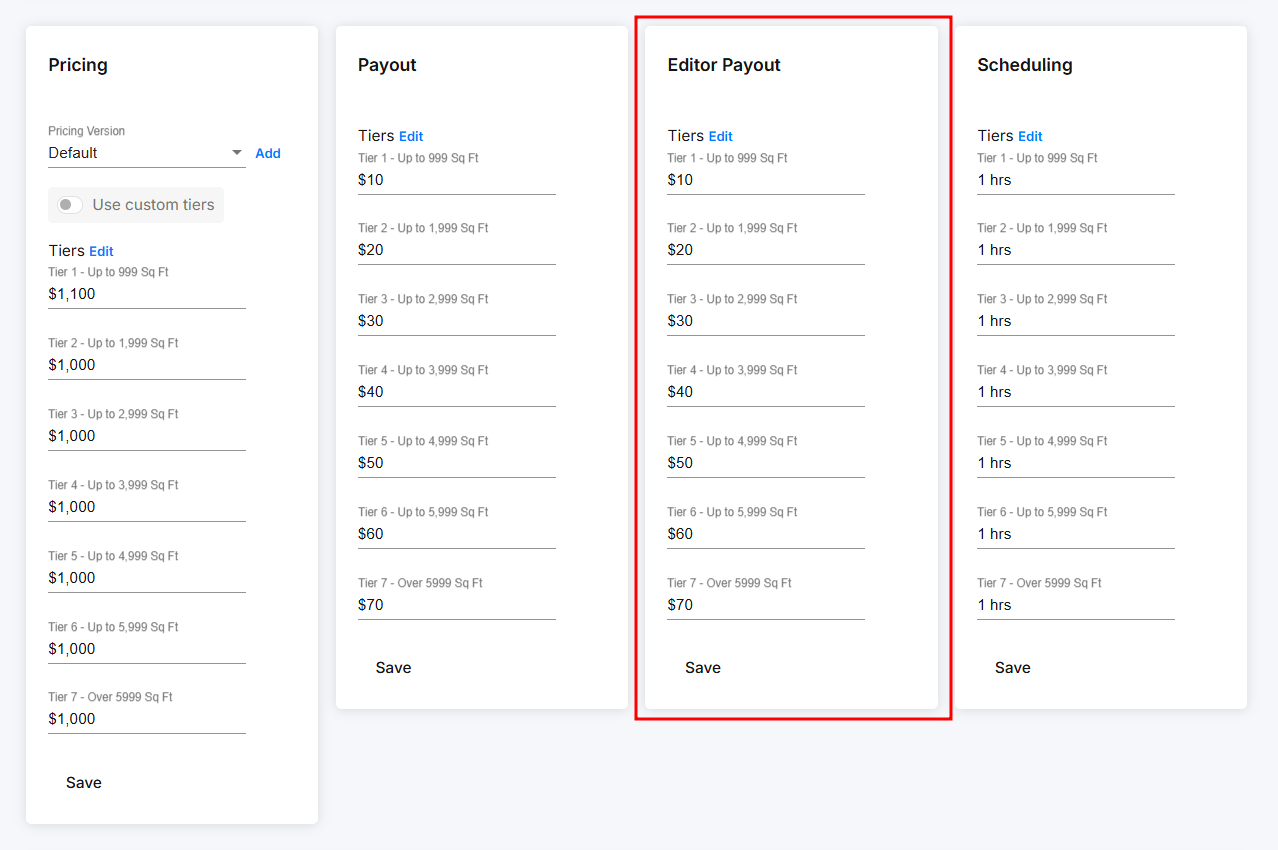
Each service includes an Editor Payout section where you can specify how much your editors are paid. The pricing is determined by square-footage tiers or custom tiers, depending on the pricing model you are using.
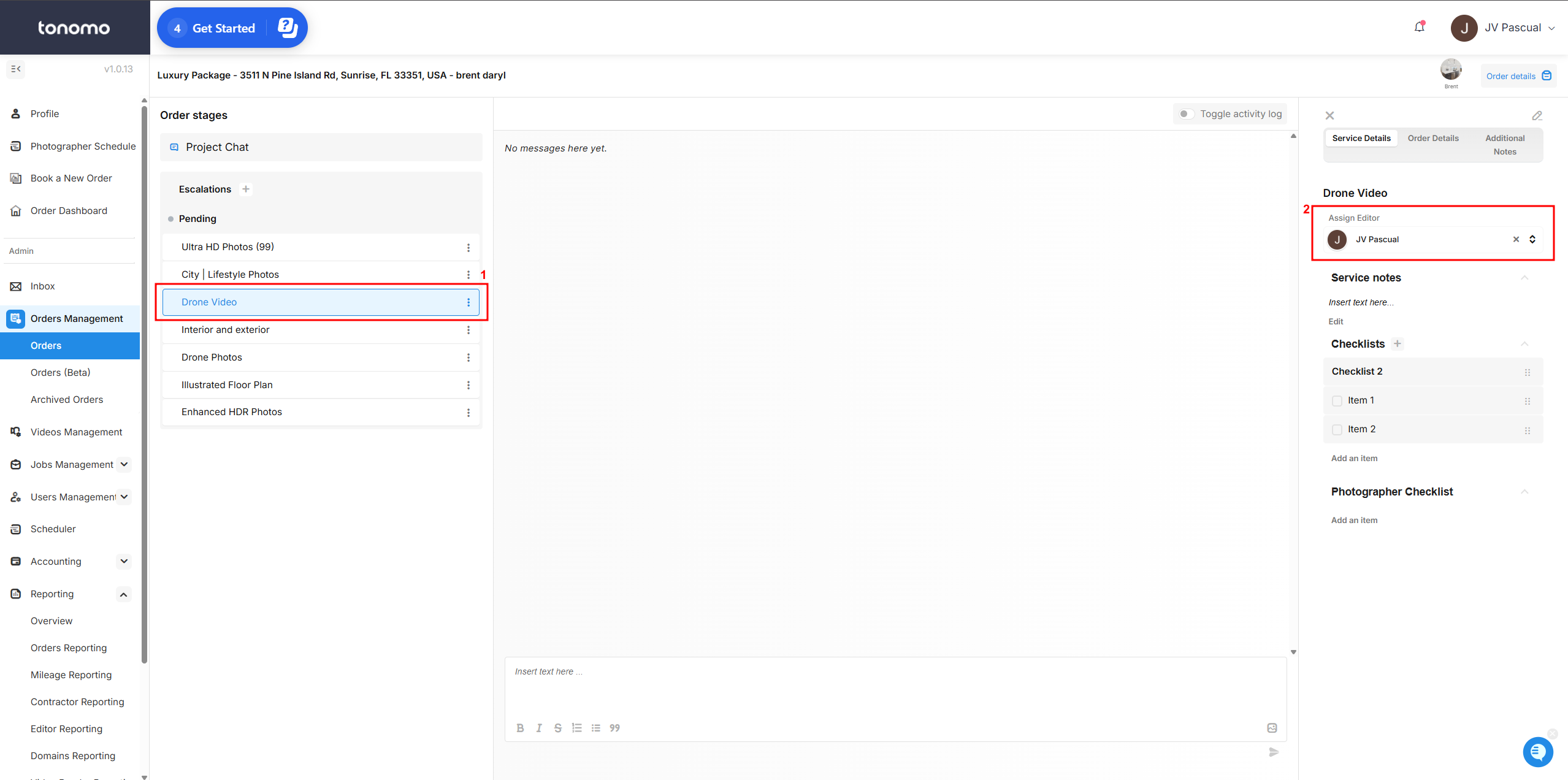
After a client submits an order, go to the Project Chat section. There, you’ll find the Assign Editor option. If you assign an editor from the Project Chat tab, all services within that order will automatically be assigned to the same editor.
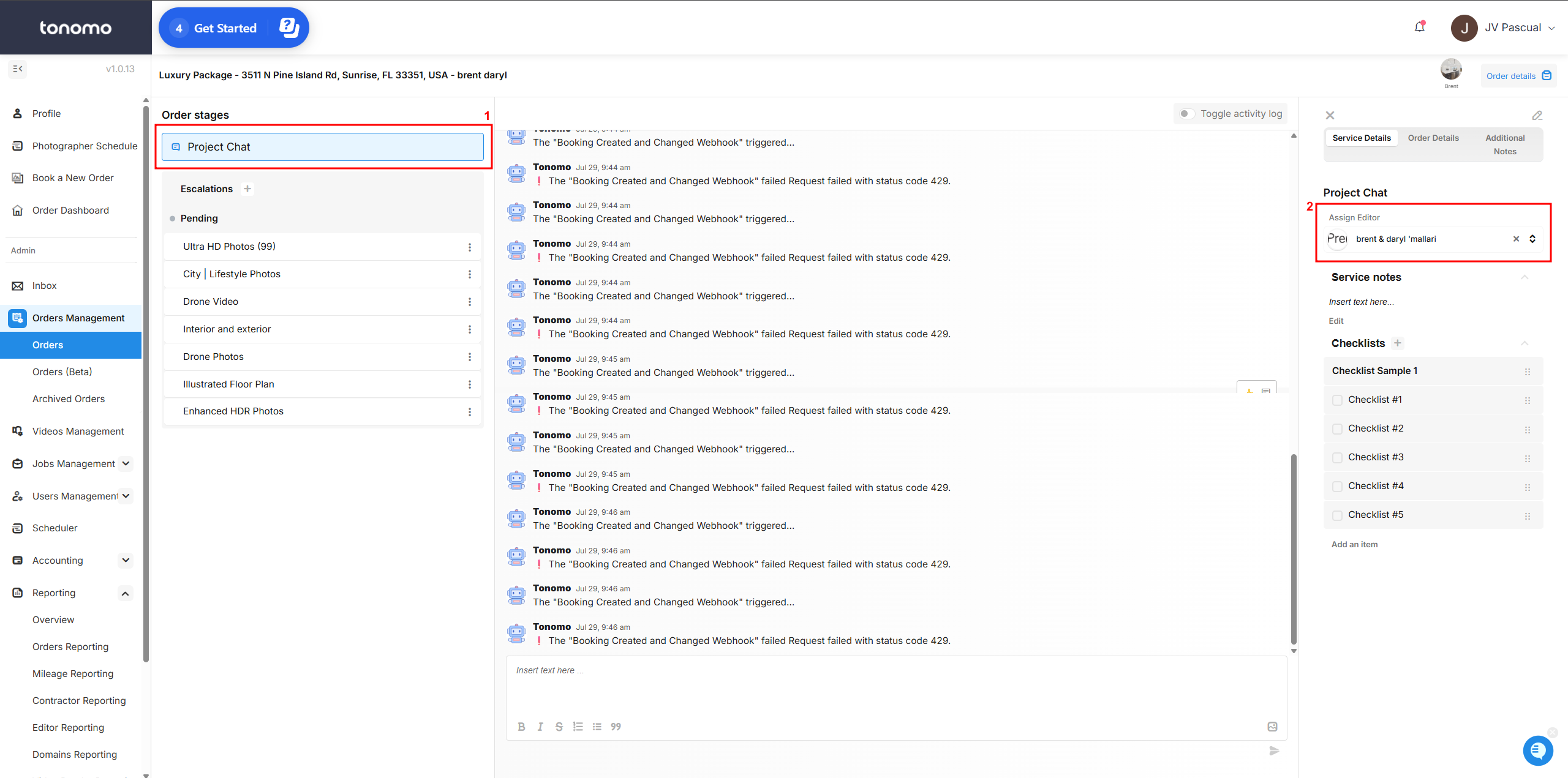
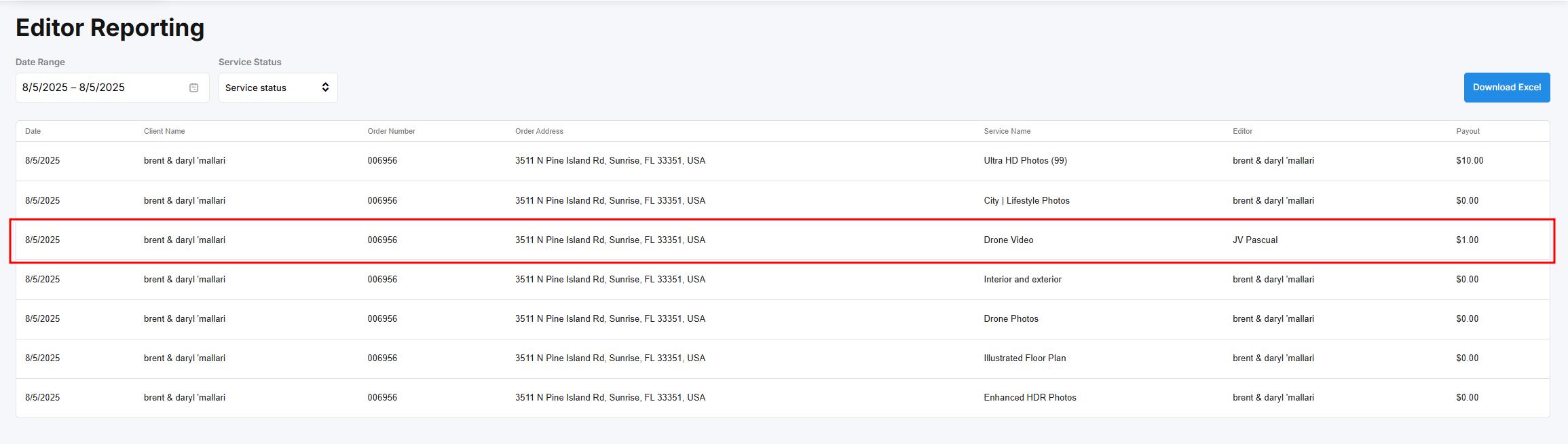
If you work with different editors—for example, one for photos and another for videos—you can split the services between them. Simply click on a service and assign it to the appropriate editor. These changes will be reflected in Editor Reporting, showing which editor is responsible for each service.