Displaying your Pricing
Last updated: July 29, 2025
Before adding your services and packages, you’ll first need to make strategic decisions about how Tonomo will calculate and display pricing. Will your portal function more like a self-checkout experience, where agents submit projects and see clear pricing upfront? Or will it follow a more consultative model, where pricing details are finalized after a discussion with a project manager?
This guide will walk you through the key pricing strategies to help you set up a checkout experience that best fits your business and your customers’ expectations.
Dynamic Pricing
While agents are booking, Tonomo can display the exact price they’ll pay — this is called Dynamic Pricing. It allows pricing to adjust automatically based on the square footage of the project, creating a transparent and predictable checkout experience.
For example:
If you sell Home Photos for $100 at 1,000 sq ft and $150 at 2,000 sq ft, Tonomo will automatically apply the correct price based on the agent’s input.
To enable Dynamic Pricing, you’ll first need to configure your Square Footage Tiers under Configure Booking > General, which define how pricing scales as square footage increases.
Square Footage Tiers
Square Footage Tiers allow you to define different pricing for Services and how many hours to schedule per service. You know your market best, so we let you granularly control how we calculate those pricing and scheduling breaks.
For example, once you’ve told Tonomo you want your Tiers at 1,000 and 2,000 Sq Ft, later you’ll tell the system you want a Drone Tour to take 1 hour for 1,000 Sq Ft and 2 hours for 2,000 Sq Ft. This also instructs the system how to display Dynamic Pricing.
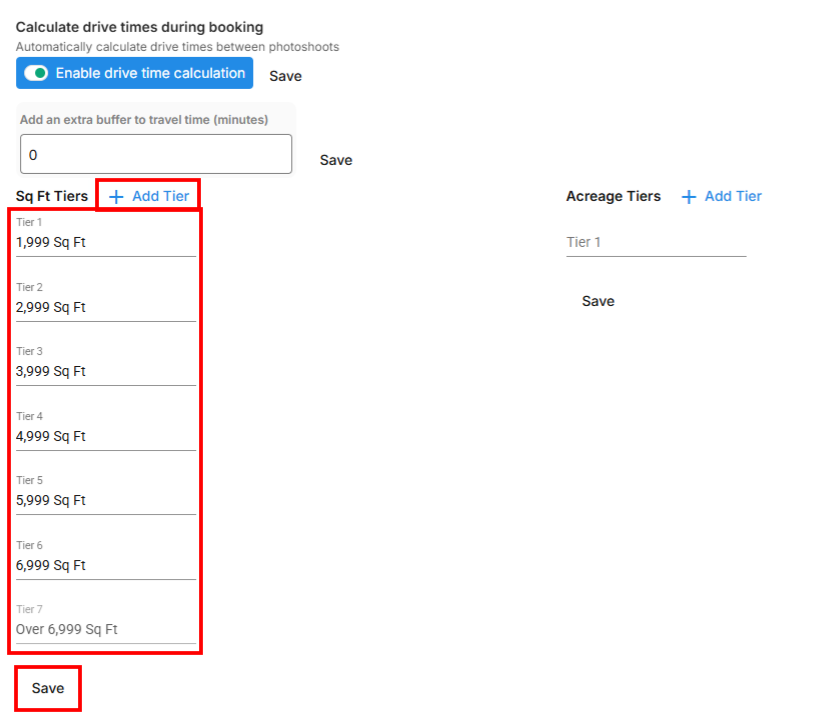
\We provide a couple of Tiers already, but feel free to edit those and, if you need more, click + Add Tier. If you're coming to Tonomo with established Tiers you've used in the past, enter those and click Save. If you've never decided on square footage tiers for your business before, we can provide a rule of thumb: a typical breakdown is 4 or 5 Tiers at 1,000 Sq Ft increments for Residential, or larger increments for Commercial.
Start there — you’ll likely receive feedback from Agents if your tiers are too few or too many. The good news is, these tiers are easy to adjust in the future.
Custom Tiers
Custom Tiers is a toggle found in the Pricing section for each Service or Package. When enabled, you’ll be using tiers that can be customized — so instead of using square footage pricing, you can specify pricing like price per photo.
There are two ways to use Custom Tiers:
Without a specific square footage – ideal for pricing models like per photo or per deliverable.
With a specific square footage – useful when you still want to reference property size while using custom tier logic.
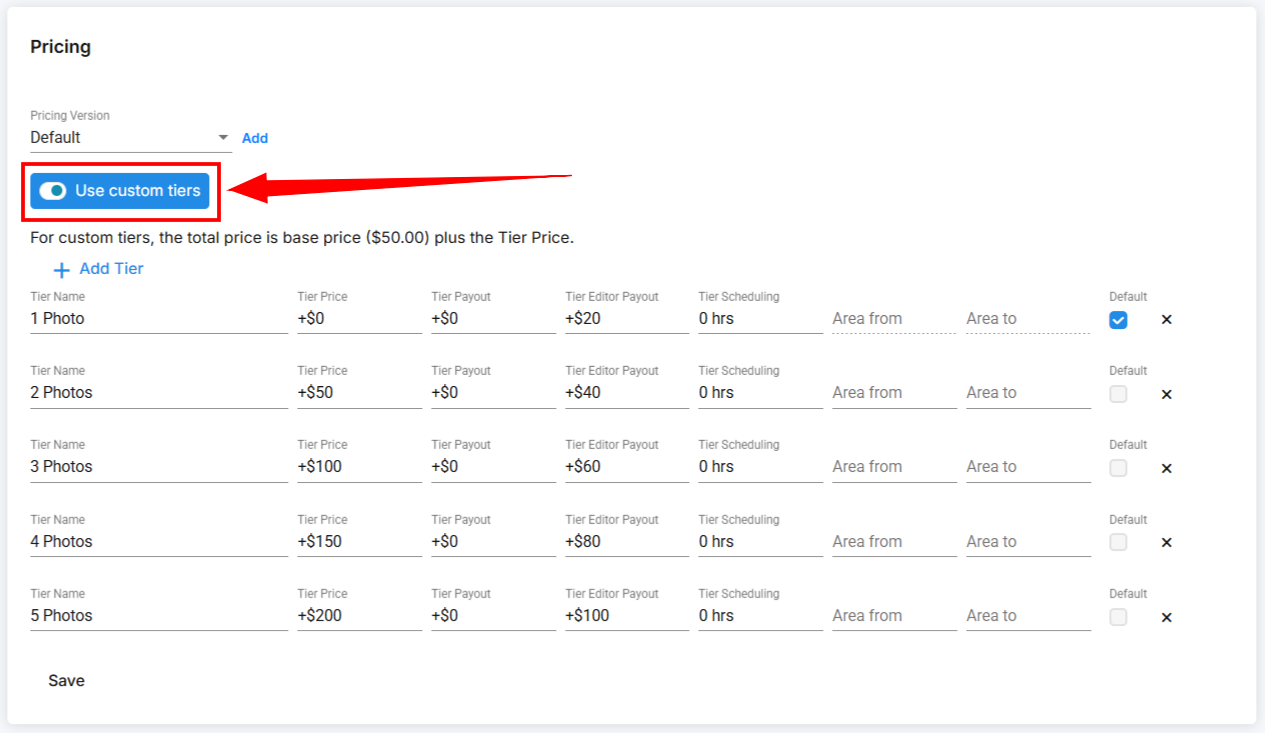
Custom Tiers without Using the Sq Ft
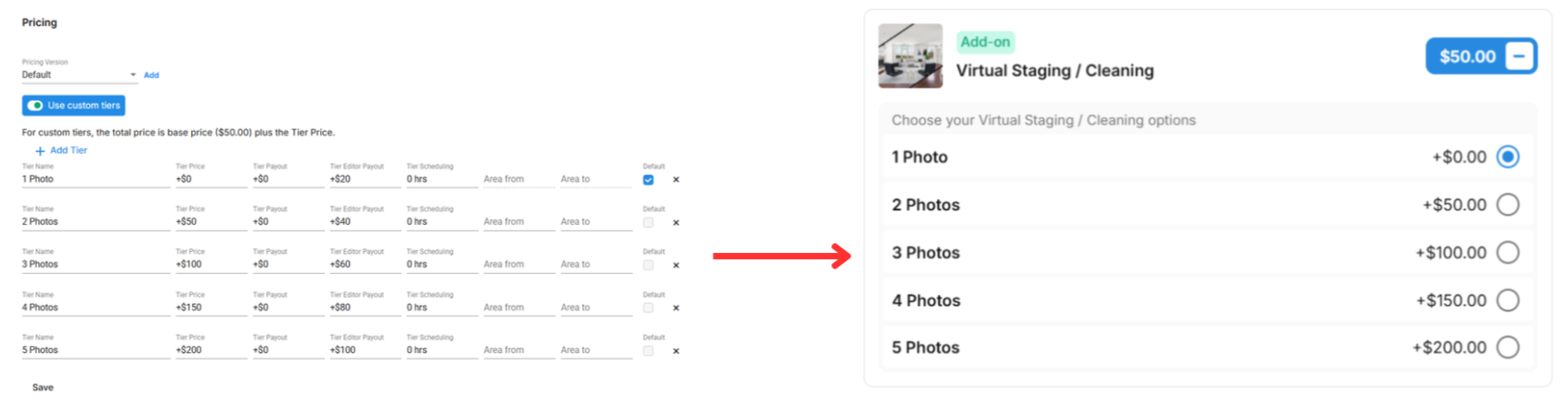
Custom Tiers without square footage offer a simple and flexible way to price your services. Instead of tying pricing to property size, you can define options your clients can choose from—such as 1 Photo, 2 Photos, up to 10 Photos, or any other setup that fits your offering. For each tier, you’ll enter the price the client will pay, the estimated scheduling time, and optionally, the contractor payout and editor payout. These payouts will be automatically calculated and tracked in the Reporting section, giving you clear visibility into team compensation.
Custom Tiers Using the Sq Ft
When using Custom Tiers with Square Footage, you’ll still get the same benefits mentioned above, with the added flexibility to define which square footage range each tier should appear in. This is especially useful if you want to offer different options for clients at a specific tier.
For example, you can offer a Drone Photo only, and also offer Drone Photos with Outline for every applicable square footage range—giving clients more choice during booking.
The screenshot below shows how the service is displayed when a customer enters 7,000 sq ft on the booking page.
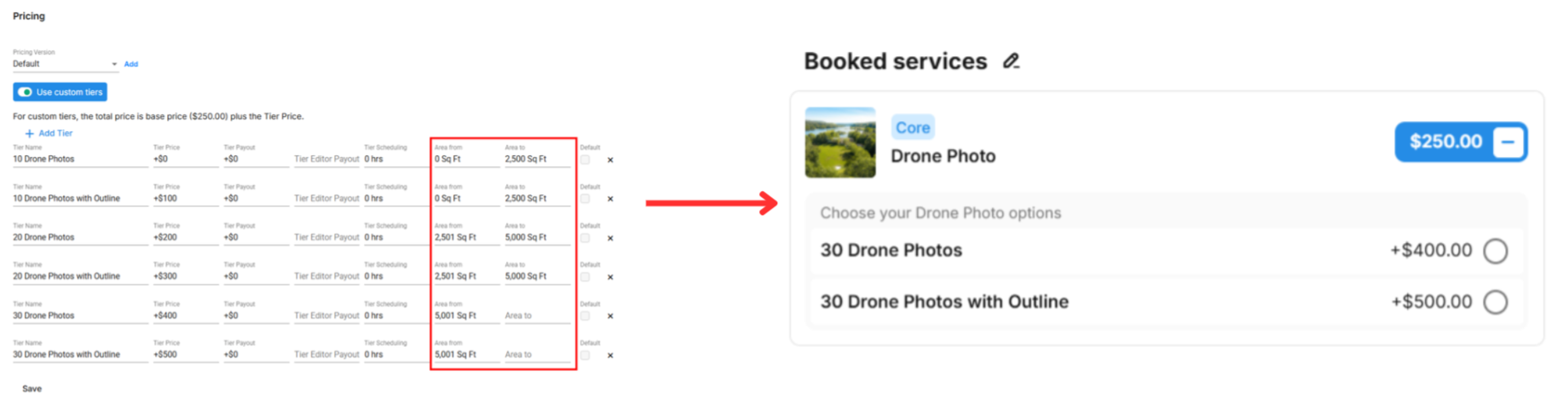
Leaving the last section open will indicate that the tier applies to any square footage moving forward, and it won’t be limited to a specific range.