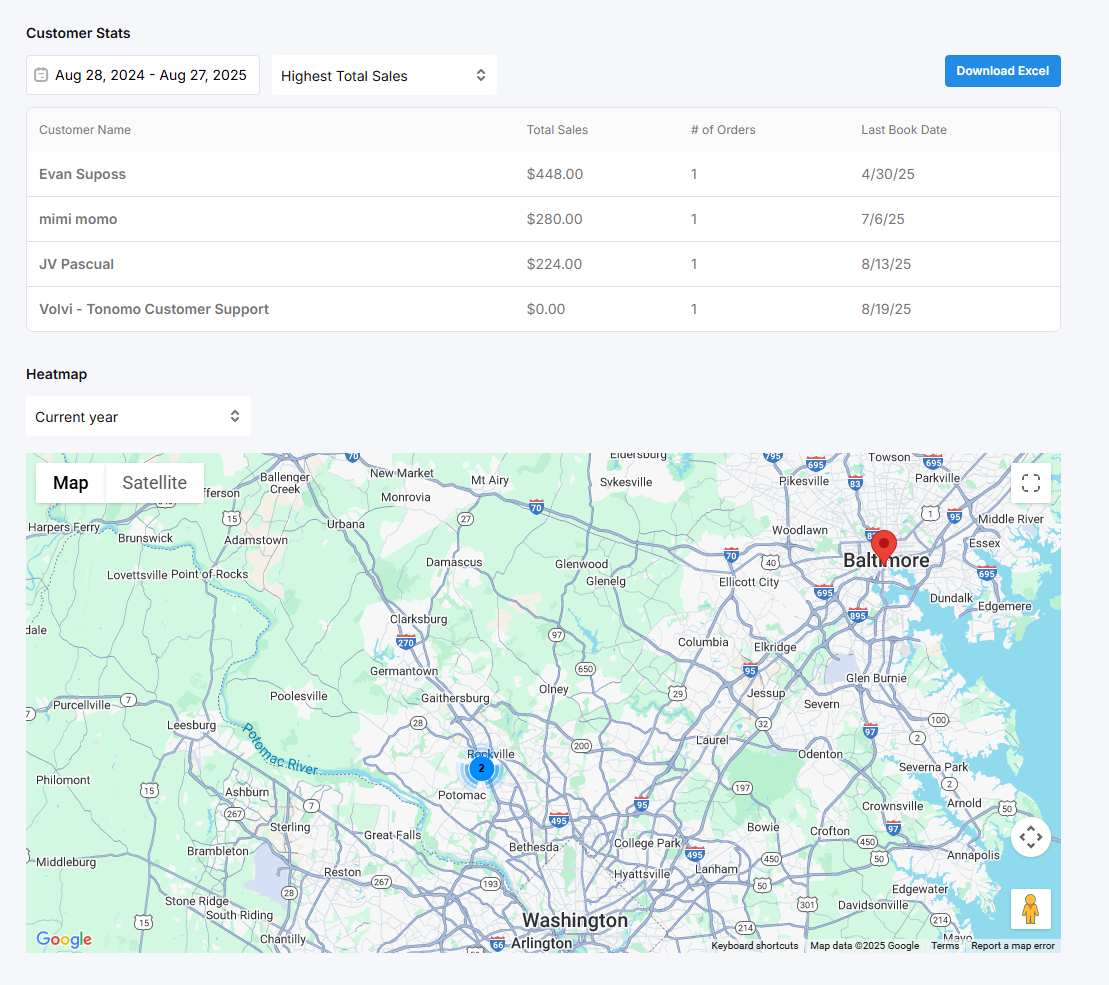
Reporting Overview Dashboard
Last updated: August 27, 2025
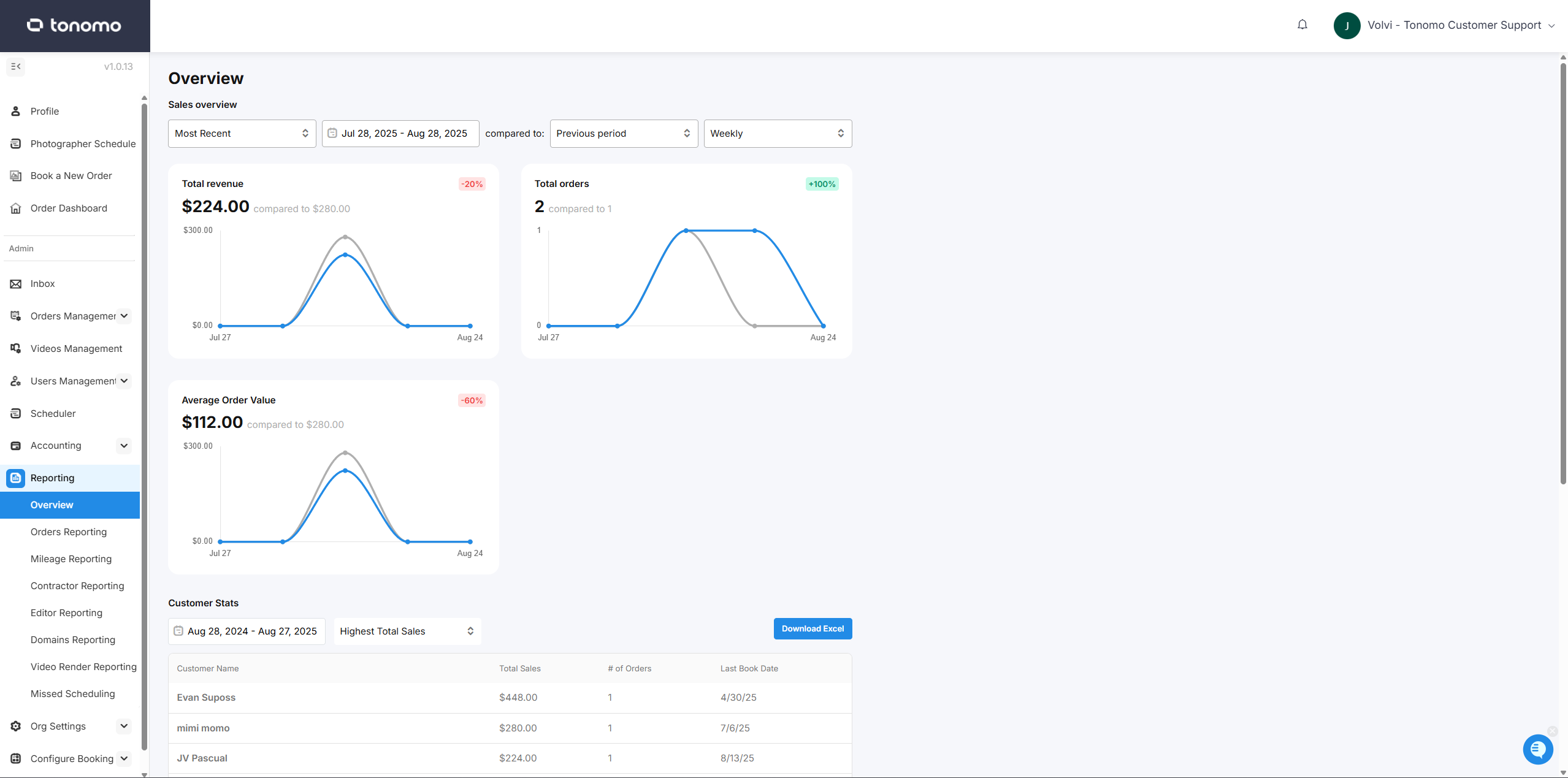
Sales Overview
Here, you’ll see an overview of how your business is performing. This includes key information such as total revenue, total orders, and average order value.
You can also apply filters—for example, by booked date or scheduled date, and by a specific date or date range. In addition, you can compare performance against the previous period or year, with views by day, week, or month.
Customer Stats and Heatmap
The Customer Stats section shows insights such as which customer has the highest total sales, the most orders, the last booked date, and more—based on the filters you apply.
The Heatmap displays all pinned addresses where orders were completed within the selected date range. You can zoom out to view a larger service area or zoom in to focus on a smaller area in greater detail.