Features
Last updated: April 21, 2026
Overview
The Features Settings page allows you to connect third-party applications and services to extend your organization's functionality. Enable integrations to automate workflows, manage finances, and streamline business operations.
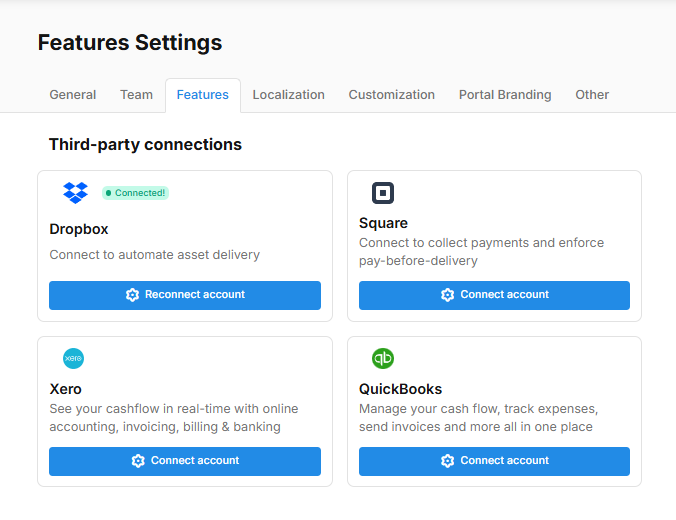
Third-party Connections
Connect your account with external services to unlock additional features and automation capabilities.
Dropbox
Connect to automate asset delivery. The "Connected" badge indicates an active integration. Click "Reconnect account" to update your connection credentials.
Square
Connect to collect payments and enforce pay-before-delivery. Integrate Square to accept payments directly within your workflow and require payment completion before proceeding with services.
Xero
See your cashflow in real-time with online accounting, invoicing, billing, and banking. Manage your finances and keep accurate records of all financial transactions.
QuickBooks
Manage your cash flow, track expenses, send invoices, and more all in one place. Streamline your accounting and financial management processes.
Connecting an Account
To connect a third-party service:
Click the "Connect account" button for the service you wish to integrate
Follow the authentication prompts specific to that service
Authorize access to allow the integration to function
Once connected, the status will update and you can manage the integration
Reconnecting an Account
If you need to update your connection credentials or re-authenticate:
Click the "Reconnect account" button for the service
Follow the authentication process again
Your existing integration settings will be preserved