Photographer Availability
Last updated: May 7, 2026
Calendar Availability
With Integrated Booking, one of the key criteria Tonomo uses to determine whether a photographer can be assigned to a booking is their calendar availability for the requested Services. If a photographer has a daily lunch break at 12 PM marked as busy on their connected calendar, the system will respect that block and avoid scheduling during that time.
As you add photographers in Tonomo, their availability may start to form a visual schedule, helping you quickly see who’s available and when.

Events shown in grey represent items on the photographer’s calendar that are unrelated to shoots, like a “Tuesday – Q&A” meeting. If an agent tries to book during that time, the system will not assign that photographer to the shoot.
If you’re ever wondering why a photographer appears available or unavailable incorrectly, it often comes down to how their events are labeled. Most calendars allow events to be marked as either “available” or “busy” — Tonomo will only block availability for events marked as “busy.” This is how it works in Google Calendar, for example.
Calendar events marked as "Busy" will block availability regardless of whether they have a location or address specified.
You can also add an address to any calendar event, and Tonomo will use it to calculate travel time for the next appointment automatically—the address is only used for travel time calculation, not for determining availability.

If you use your calendar for reminders that you don't want to block availability in Tonomo, make sure those are being set to "Free"
Tonomo Availability
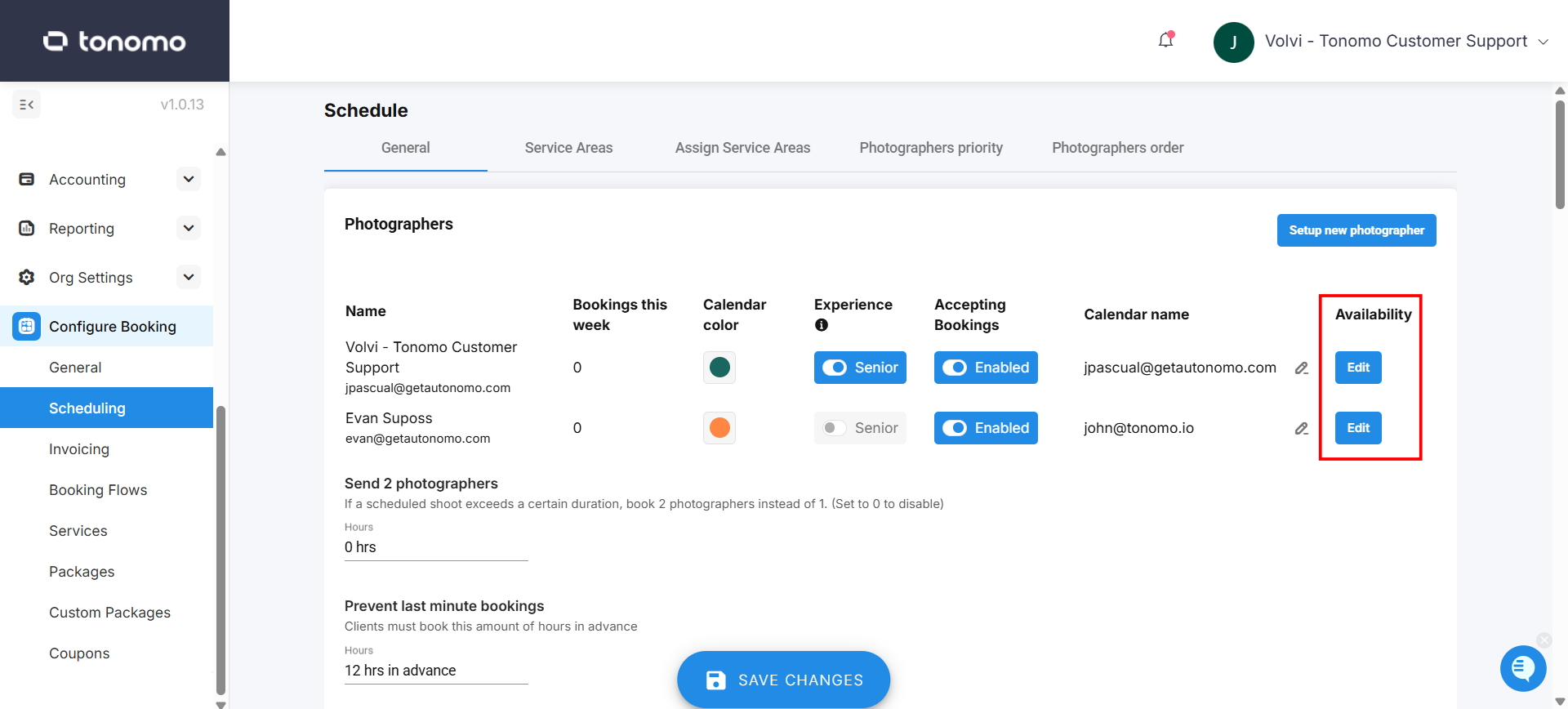
In addition to calendar availability, you can set regular schedules for each photographer within Tonomo under Configure Booking > Scheduling on the left-hand side.
Then, click Edit for the photographer you want to give a schedule to.
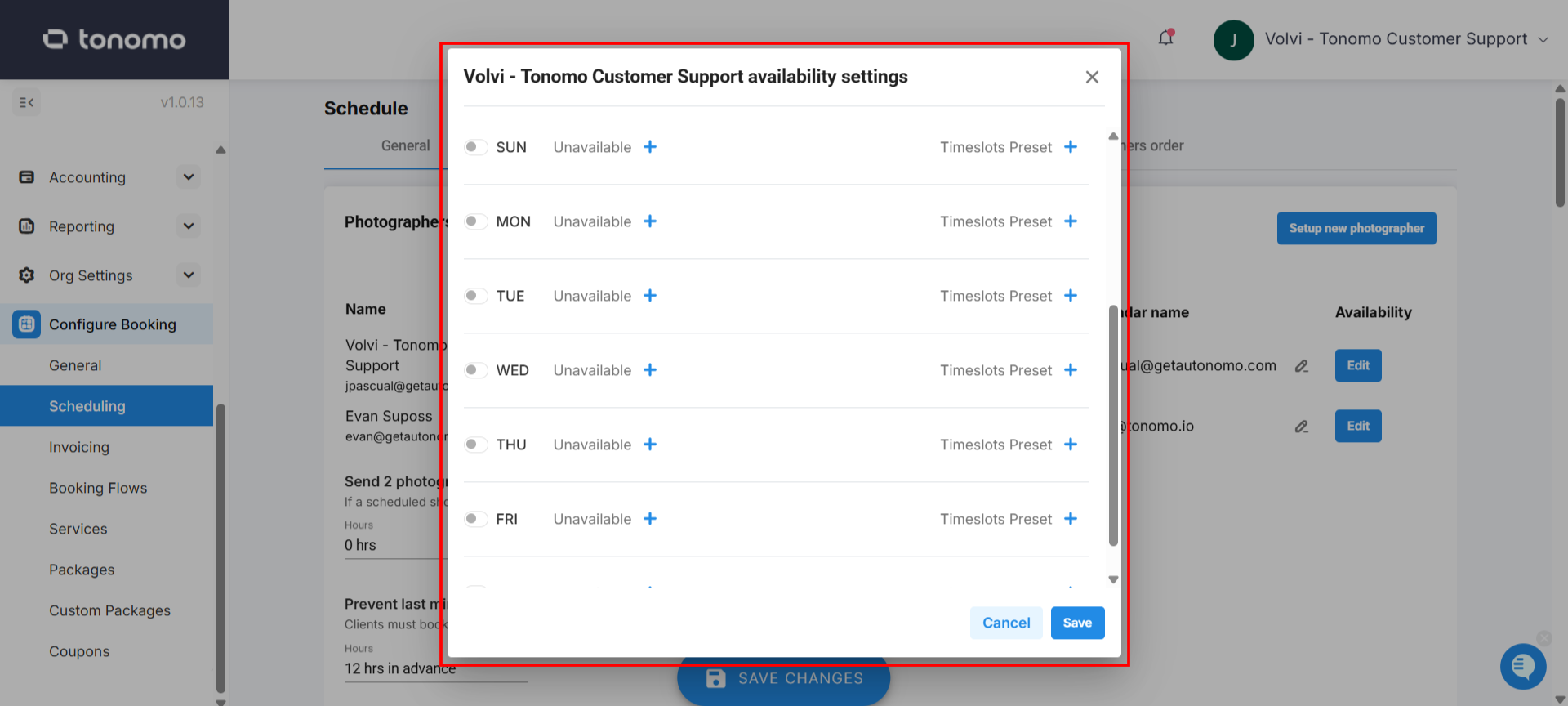
All photographers will default to an empty schedule. Rest assured, if all days of the week are marked as “unavailable”, the system will treat them as having full availability, effectively disabling scheduling restrictions for that user.
You can set a photographer’s availability to something specific—such as being unavailable every Monday at noon for one hour, while staying available all day for the rest of the week until Friday.
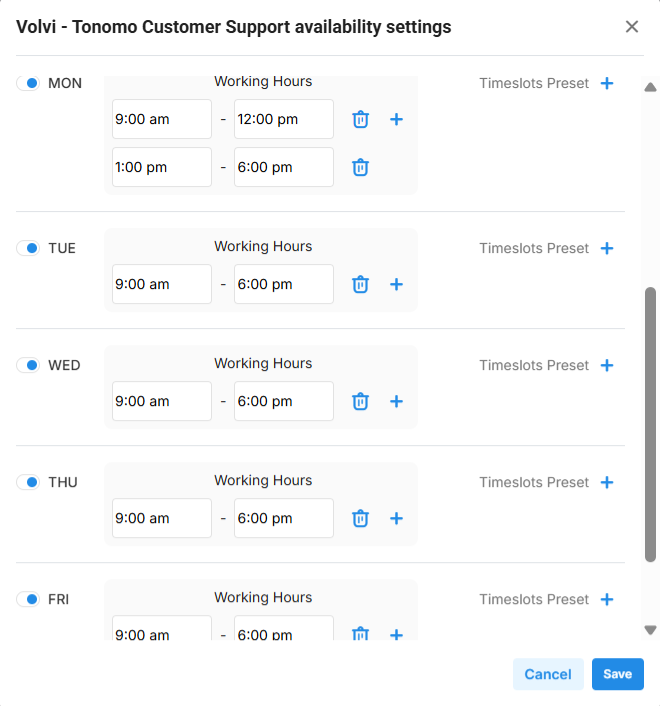
The intention of this feature is to support photographers with standard, repeatable availability schedules. If a photographer has a one-time conflict—like a doctor’s appointment—just add it to their connected calendar, and Tonomo will automatically block that time. If a photographer never works on Fridays, you can simply block Fridays directly in Tonomo.
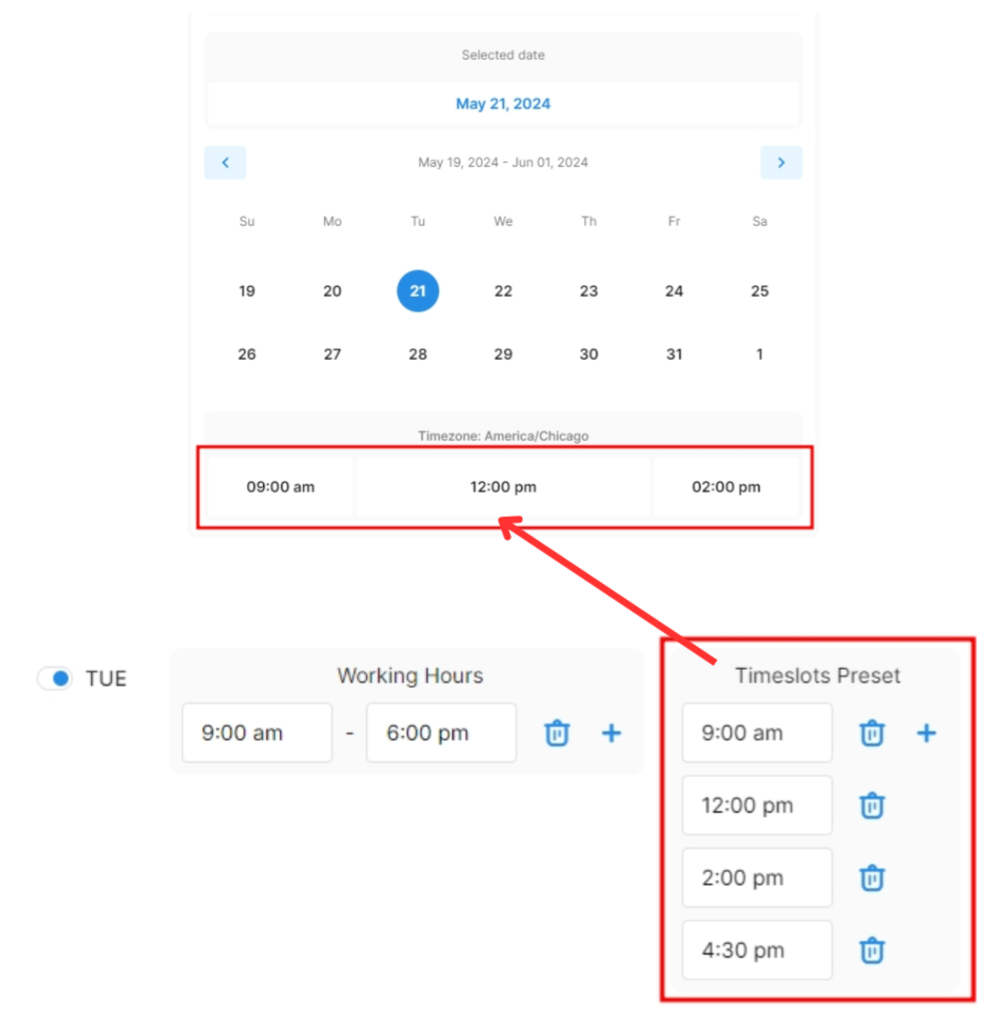
Timeslot Preset
Timeslot Presets allow you to assign specific booking times to a photographer, rather than using standard time increments. This functions as a time block, giving you more control over when that photographer can be booked.