Send Two Photographers
Last updated: March 24, 2026
General Level Send Two Photographers
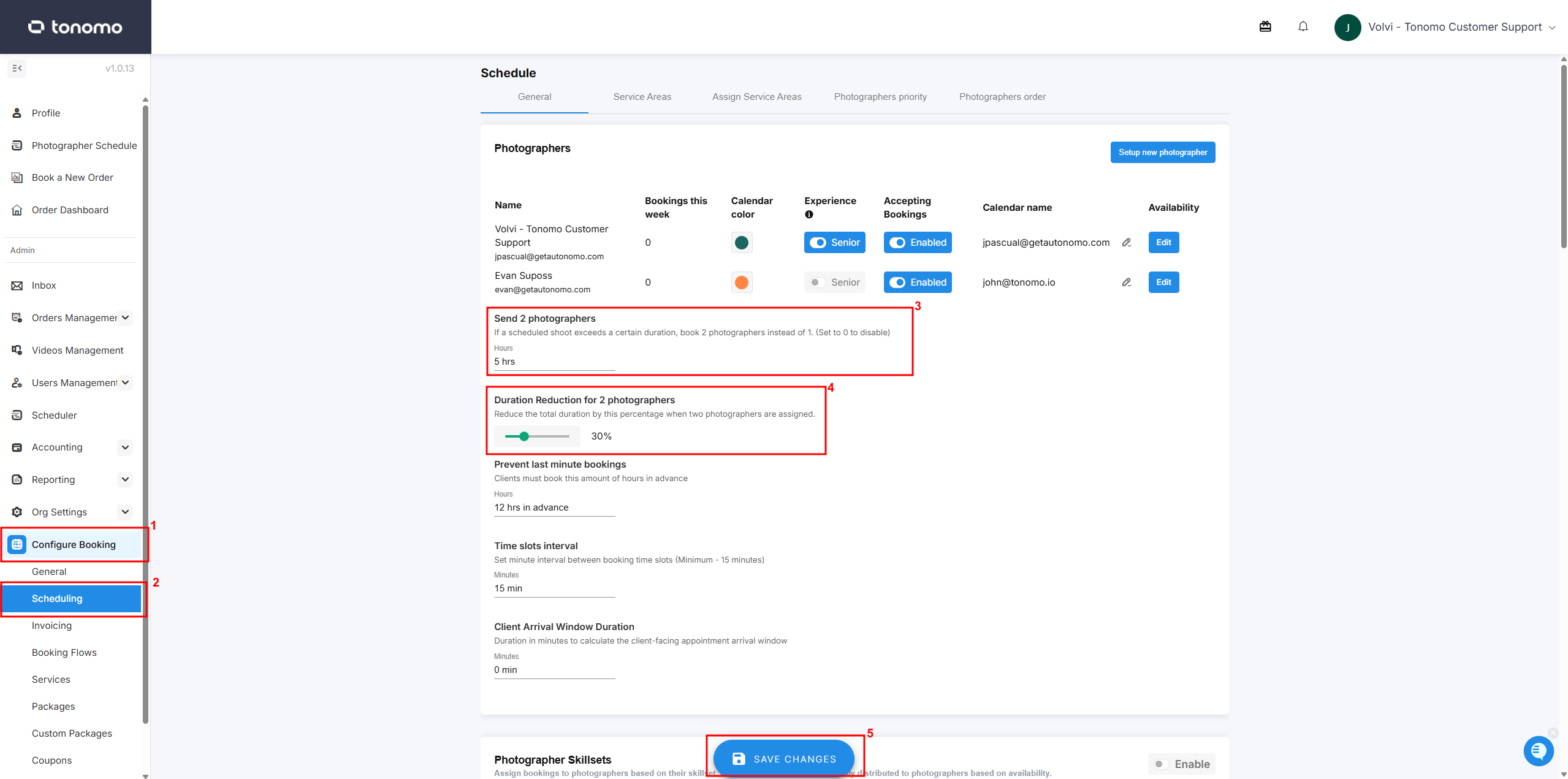
For longer projects, you may want to send two photographers to reduce the amount of time your team spends on-site. This setting is hour-based, allowing you to assign one photographer for shorter shoots (e.g., under 3 hours) and automatically assign two photographers for shoots that are 5 hours or longer. There is also a setting called Duration Reduction for 2 Photographers that reduces the total scheduling hours by a percentage, since two photographers will be splitting the work. Here is how an admin can configure this:
Go to the Configure Booking section.
Click Scheduling.
Under the Send 2 Photographers section, enter a threshold value in hours.
Set a reduction percentage under Duration Reduction for 2 Photographers.
Click Save Changes.
The length of the shoot is determined by the Scheduling you set in each Service or Package. So if an Agent requests three Services that are 1 hour each, that would be a 3 hour shoot.
The length of shoot does not include the buffer periods we automatically build in before and after the shoot.
If a shoot is equal to or longer than the value you enter in this setting, Tonomo will look for two photographers who have the required skills, availability, and cover the service area. The system will always assign the order to a pair that includes a Senior Photographer. To update who is considered a Senior Photographer, simply use the toggles at the top of the page.
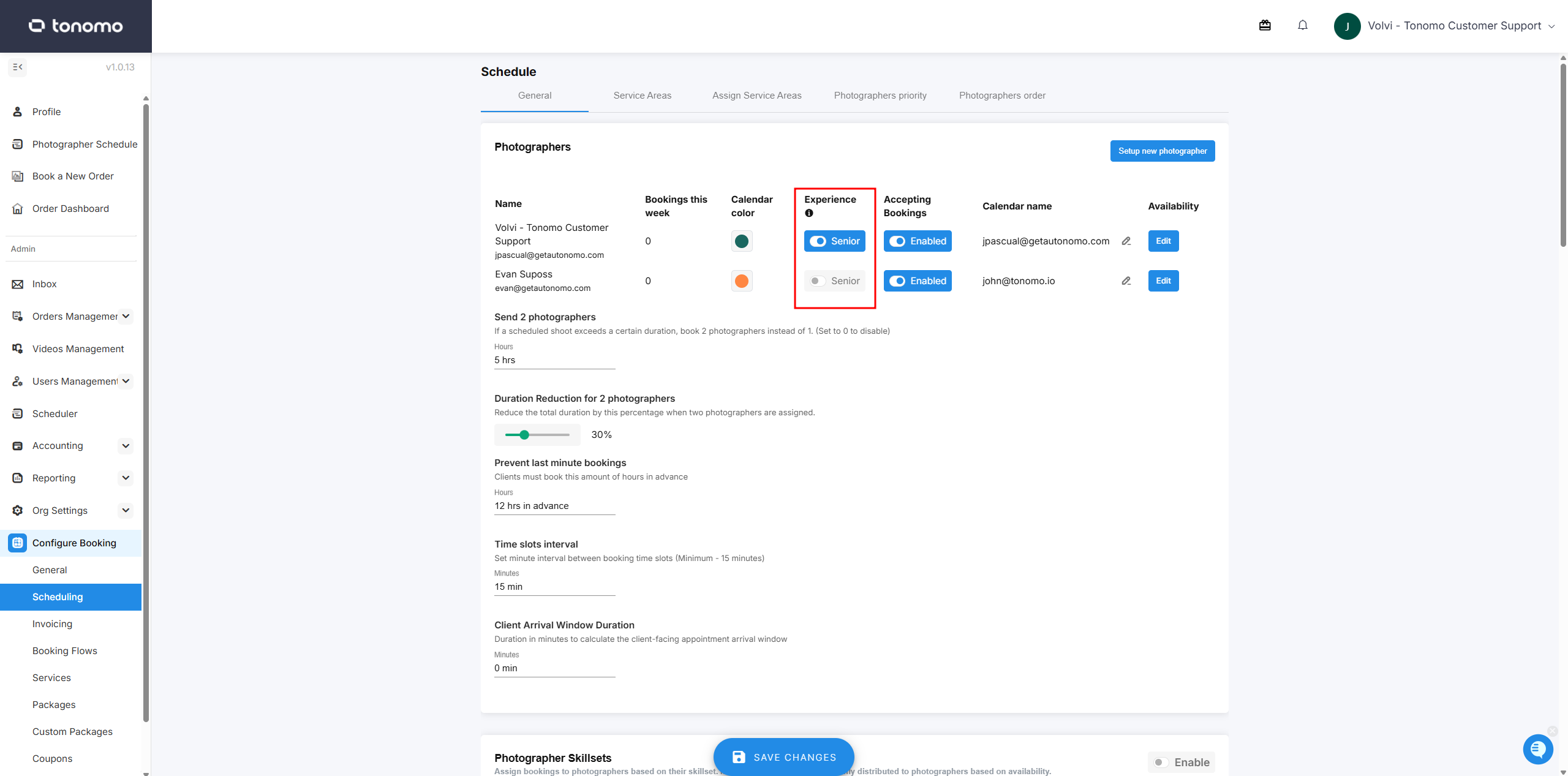
This means that even if two junior photographers are available, the system will not allow agents to book during that time. It will only display time slots where a Senior Photographer plus one other (either Junior or Senior) have the Skillset, Availability, and Service Zone that match the booking request.
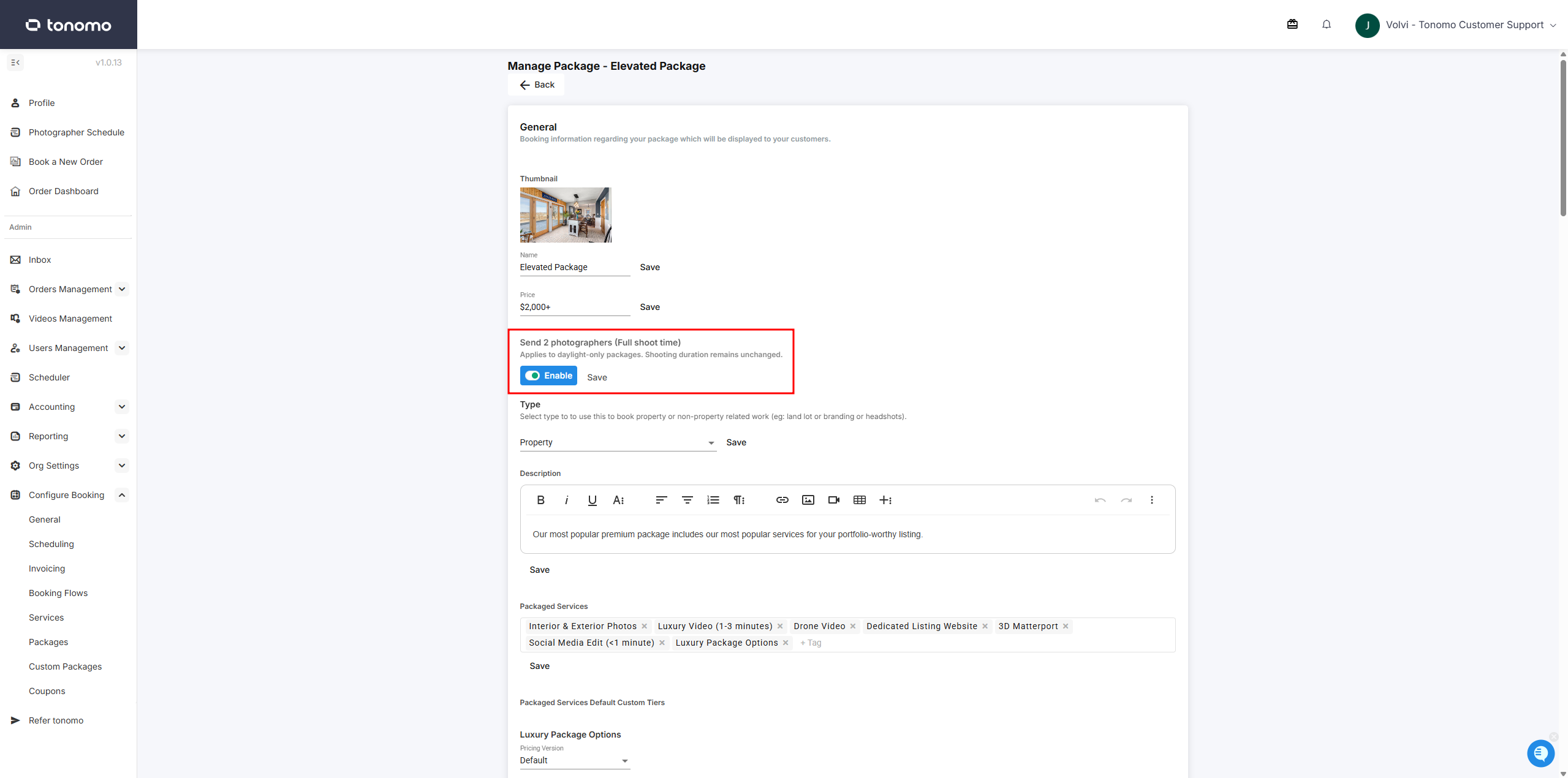
Package Level Send Two Photographers
This setting allows admins to configure a more flexible Send Two Photographers option at the package level. This is useful when two photographers are required for a specific package but not as a general rule. When enabled on a package, the system will automatically assign two photographers (Senior Photographer plus either a Junior or Senior level) whenever that package is selected, overriding the general Send Two Photographers setting while providing the full shoot time.