Prevent Last Minute Bookings
Last updated: July 30, 2025
By default, the Tonomo system will show your team as available, even if an agent wants to book a shoot just 30 minutes in advance. If you’d like to prevent last-minute bookings—whether by a few hours or even a couple of days—go to Configure Booking > Scheduling, and enter a value in the Prevent Last Minute Bookings field. This ensures your team has adequate time to prepare for upcoming shoots.
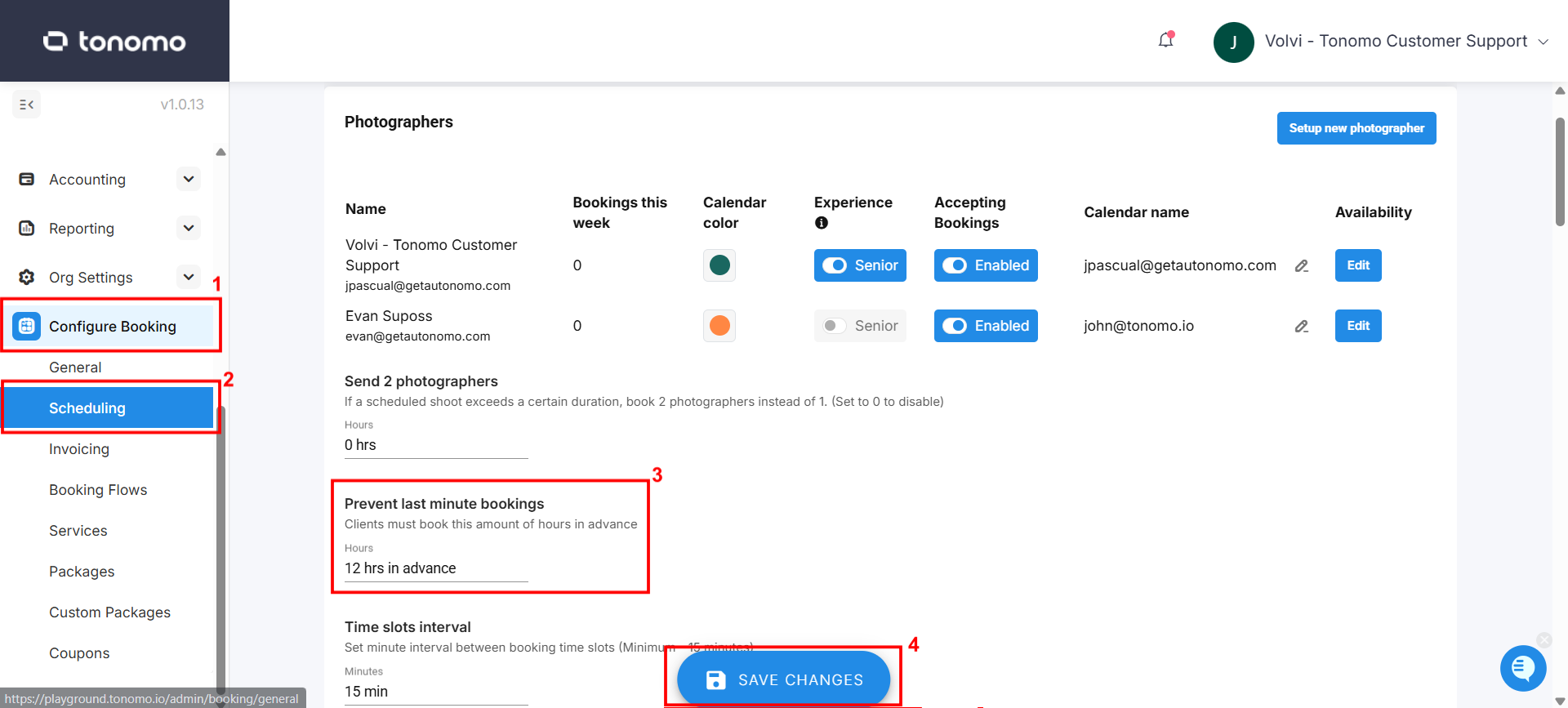
Make sure to click Save Changes.