Make Manual Payments as an Admin
Last updated: June 4, 2026
Overview
If your customer paid using cash or another offline payment method, you can record the payment in Tonomo by adding a manual payment to the order.
You can also remove payments by entering a negative payment amount. This is useful when you’ve charged a customer by mistake or need to process a refund (since refunds are not processed directly through Tonomo).
After a manual payment is made, the agent will not receive any notifications or automated messages, including the invoice. The admin can manually download and send the invoice, or the client can download it themselves.
How to Make a Manual Payment
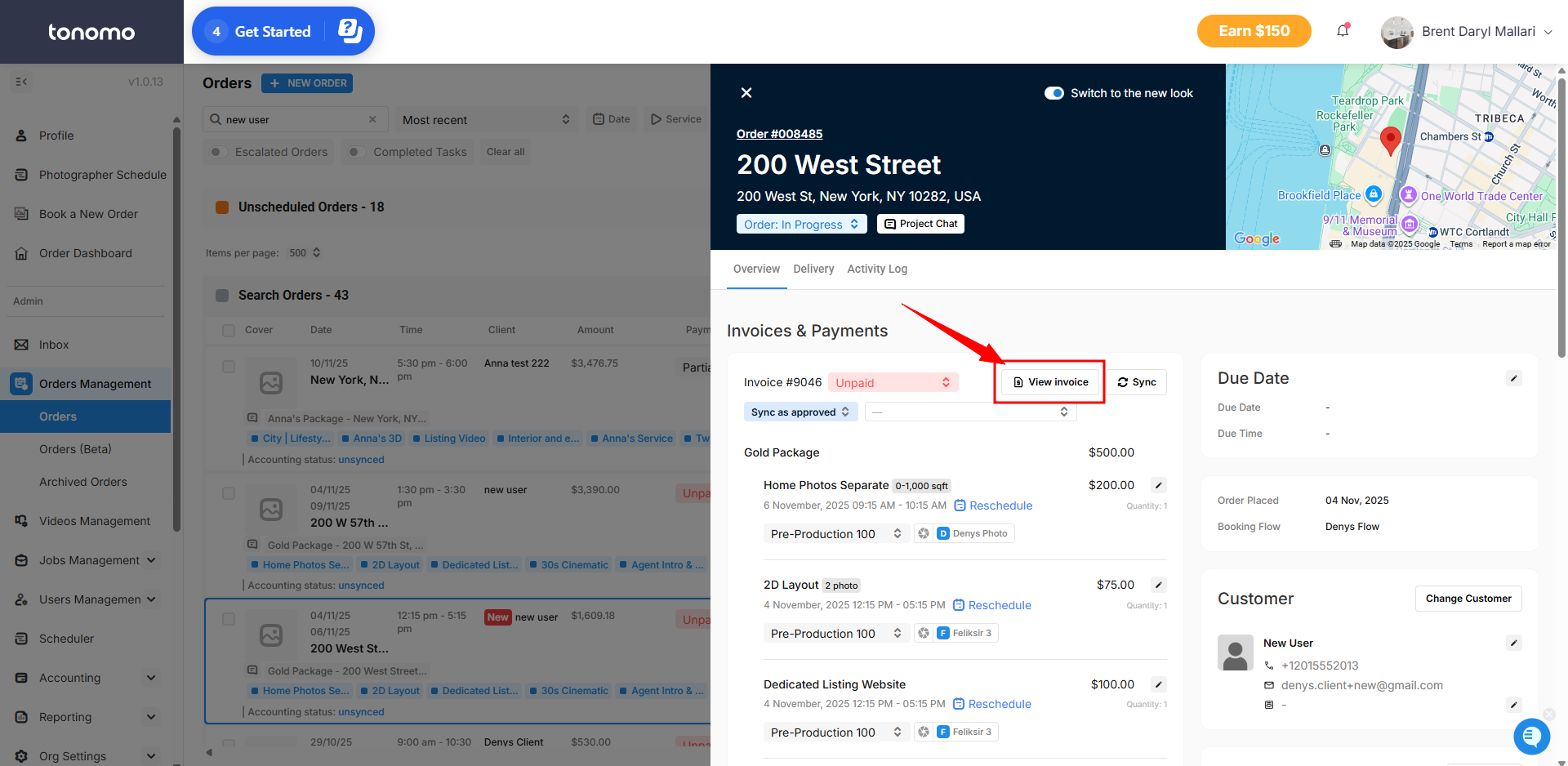
Go to Orders Management in your Portal.
Select the order you want to update.
In the Order Details view, click View Invoice.
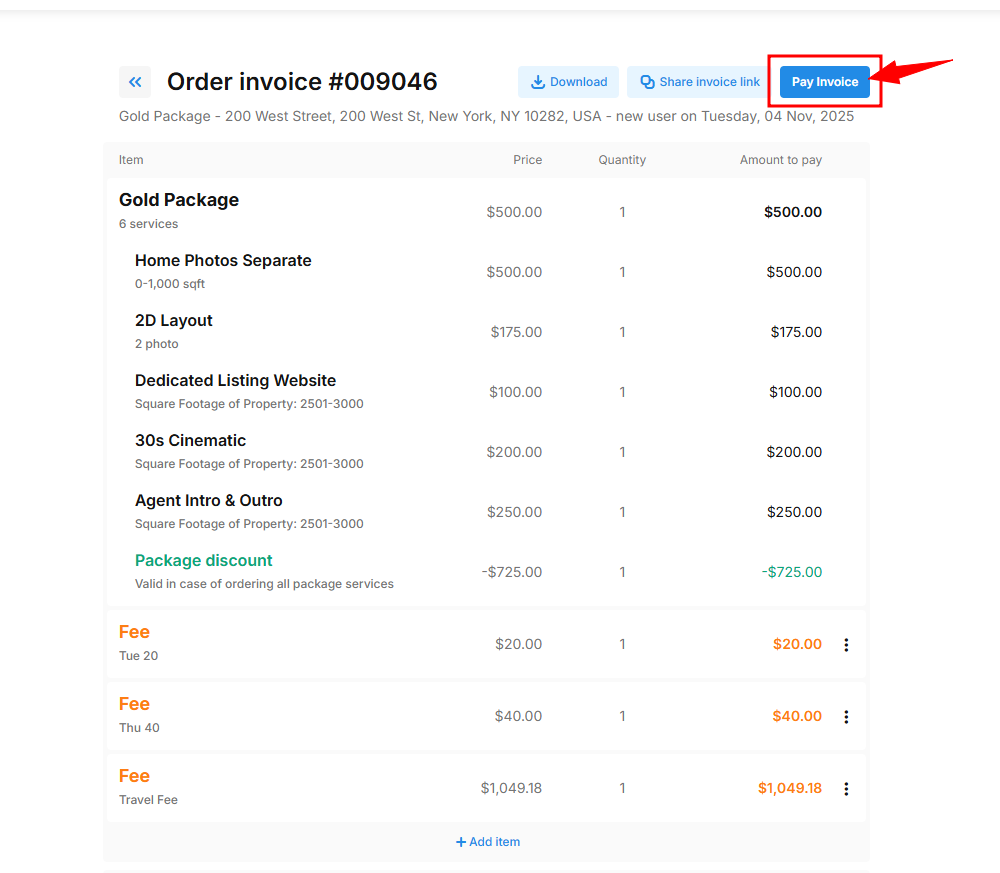
Click Pay Invoice to proceed.
Select Pay Invoice again and choose Cash as the payment method.
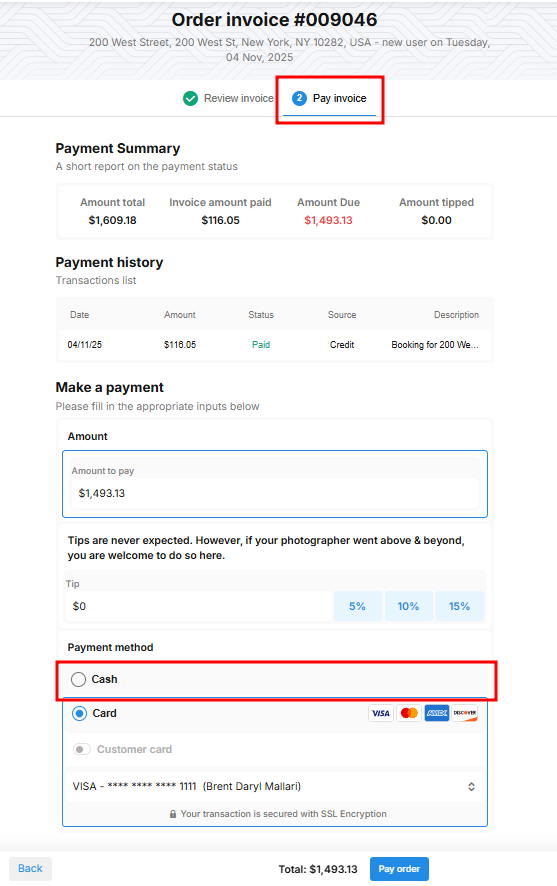
Enter the payment details, then click Save.
In this section, you can also charge the customer using their saved card if applicable.