Order Invoice
Last updated: March 24, 2026
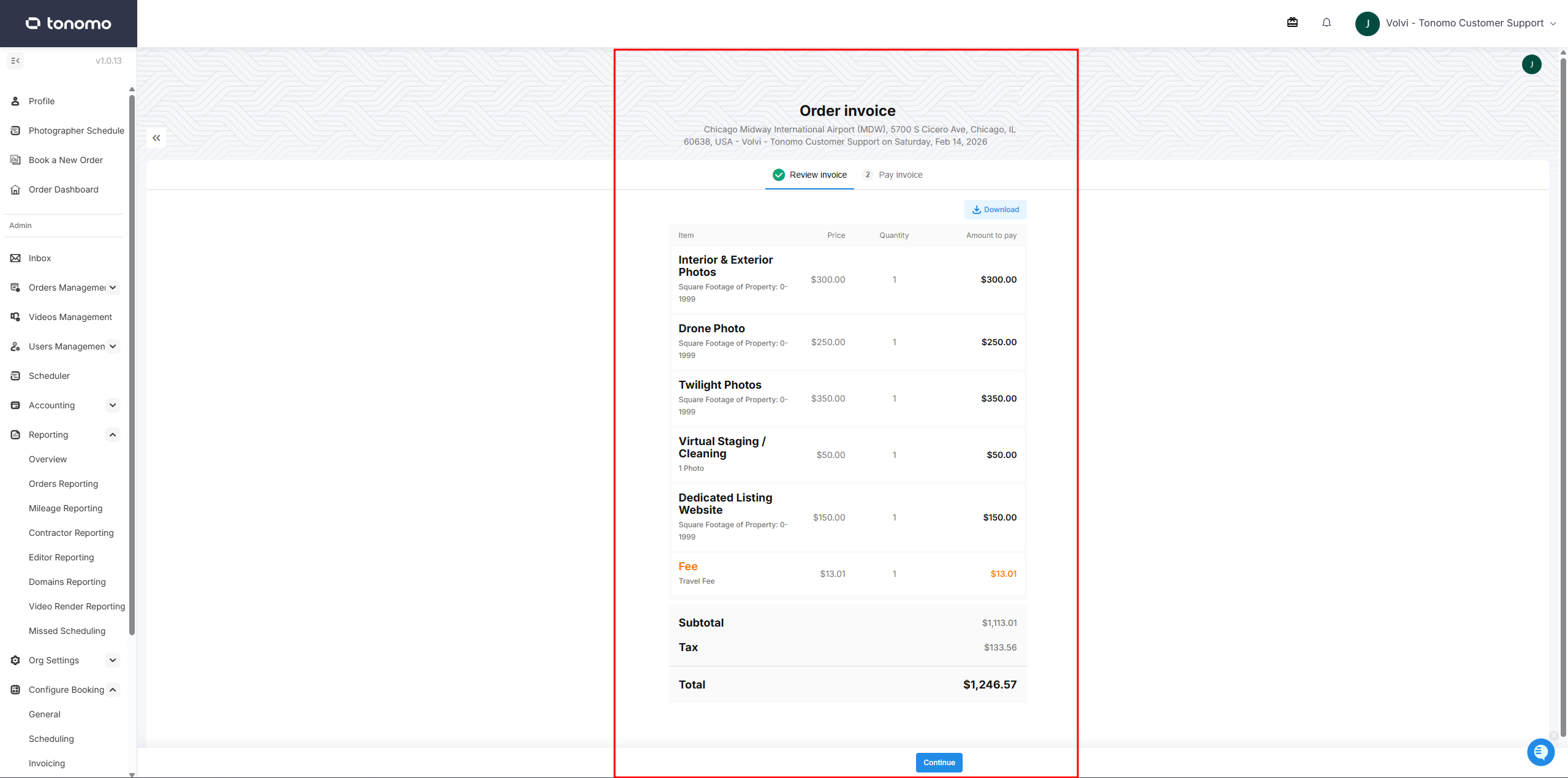
A Tonomo Invoice is an automatically generated billing document linked to an order, summarizing the services provided, pricing, additional fees, and others. It gives clients a clear and professional breakdown of their charges and can be sent directly from within the platform, making it easy to manage payments and keep financial records organized in one place.
The invoice is divided into two main sections:
Review Invoice — This section contains a summary of all line items, including packages, services, additional fees, coupons, and discounts. The Download Invoice button is also available here, along with a Continue button that redirects the admin or client to the next section.
Pay Invoice — This section is primarily used by admins to process a payment on behalf of the client or record a payment made via cash or bank transfer. Clients can also use this section to make payments themselves or apply any remaining credits to their order.
How to Open the Invoice Page
As an Admin
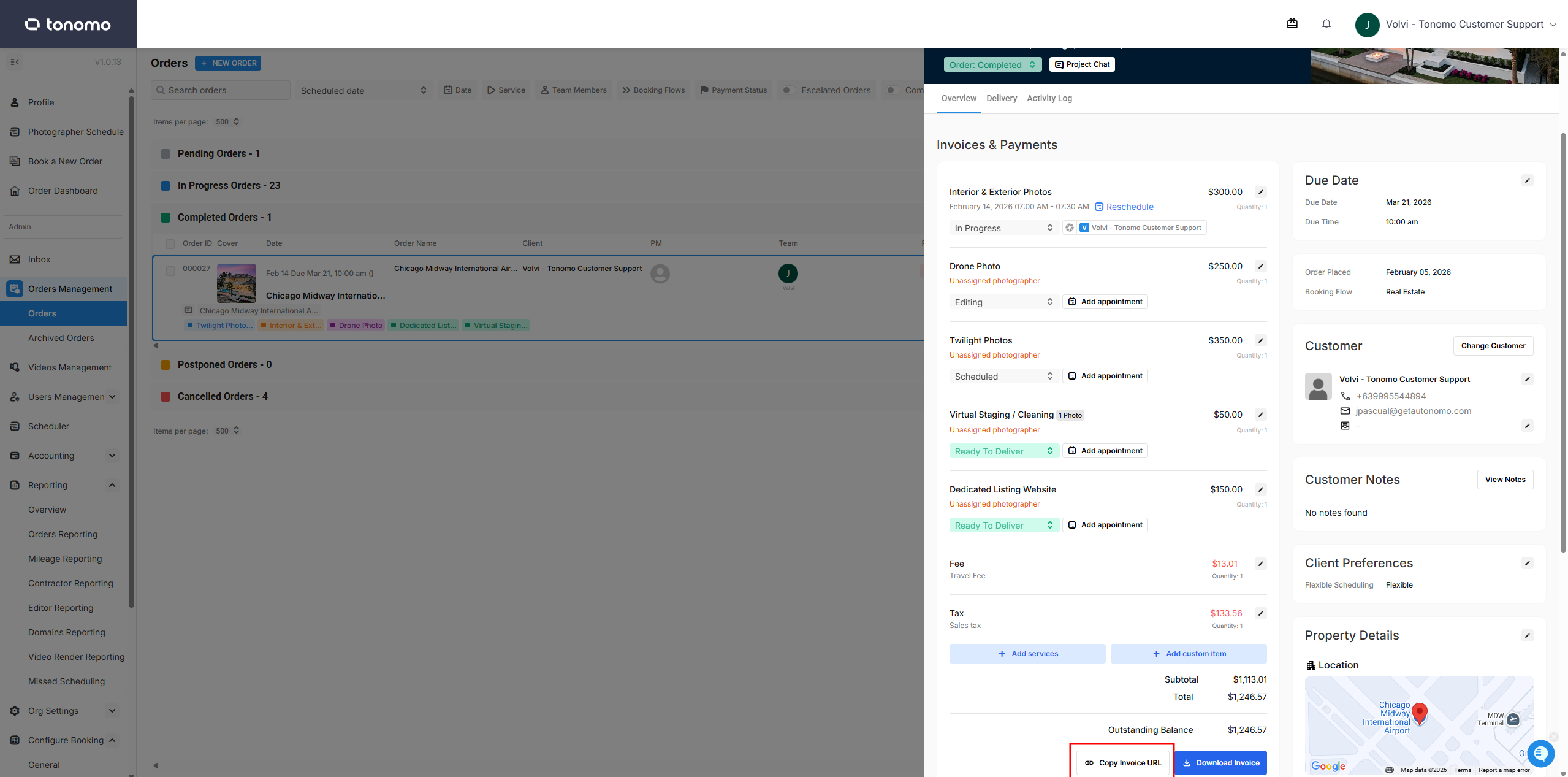
Admins can open the invoice page by using the Invoice URL found in the Invoices & Payments section of the Order Details. Simply copy and paste the link into a new browser tab to open the invoice page.
As a Customer
Customers can access their order status page through the link provided in their confirmation email or via their Tonomo portal order dashboard. From there, an Invoice button will be available for the customer to click and open the invoice page.
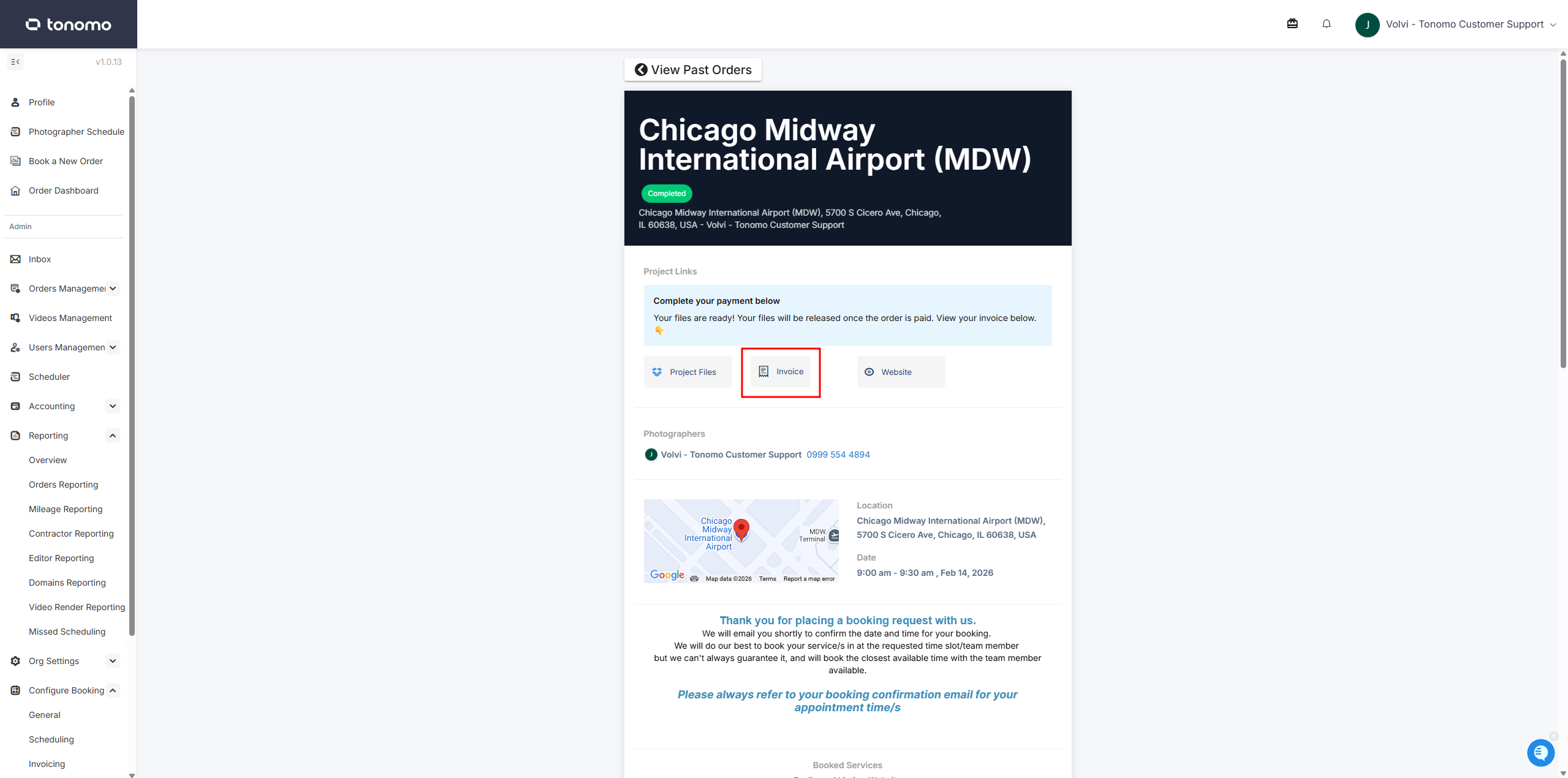
The Invoice button on the Order Status page will only appear if the Payment on Delivery feature is enabled in the Booking Flow settings.