Client Arrival Window Duration
Last updated: June 9, 2026
Summary
Instead of providing exact start and end times to your customers, you can now offer them an arrival window. This is a great option if you'd prefer not to commit to a specific arrival time.
The arrival window is a customizable time buffer added to the original appointment time, letting your client know the photographer may arrive at any point within that window.
How to set it up
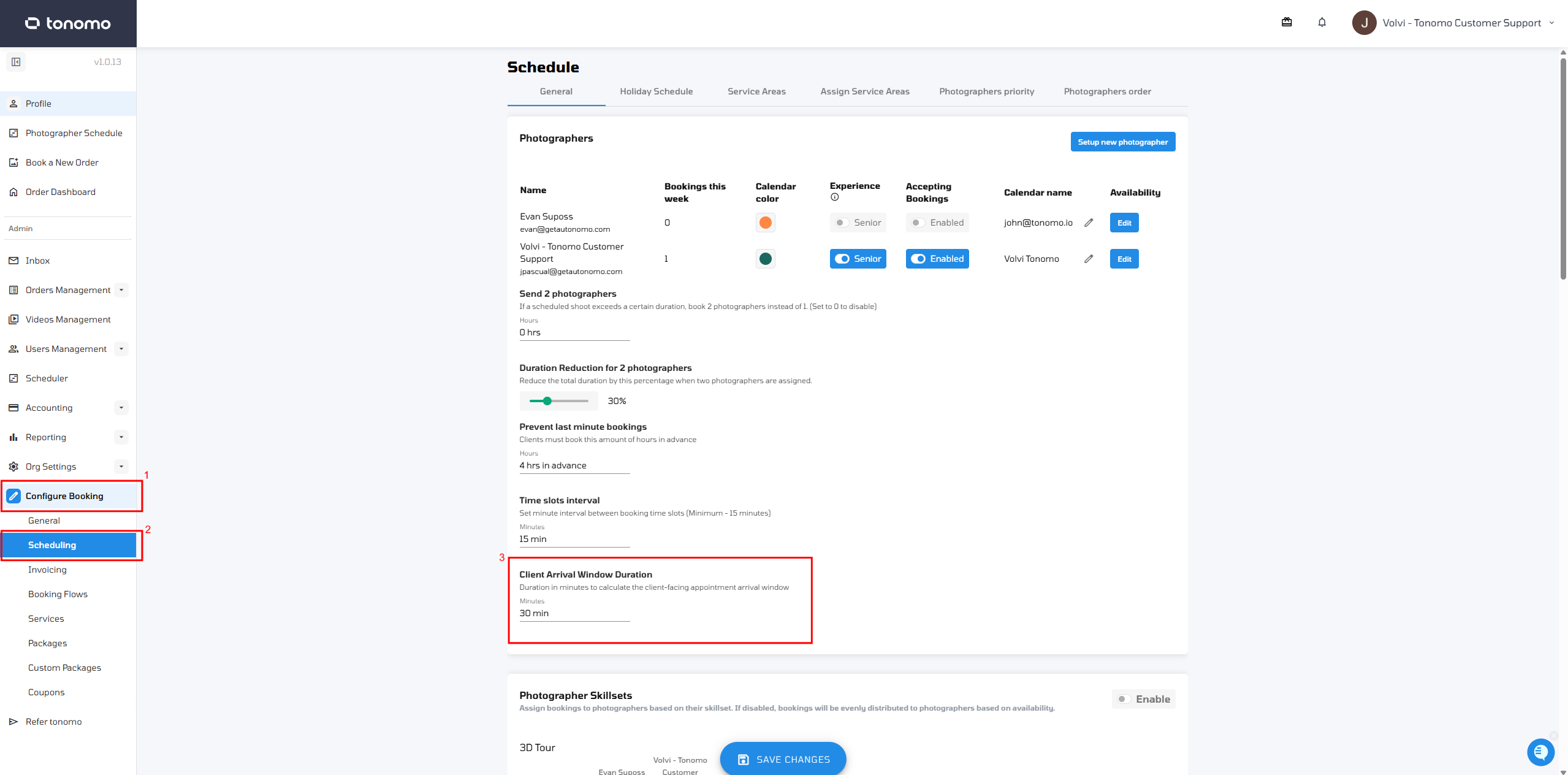
Go to Configure Booking → Scheduling to configure your arrival window.
Here's how it appears to your client when the Client Arrival Window Duration is set to 30 minutes:
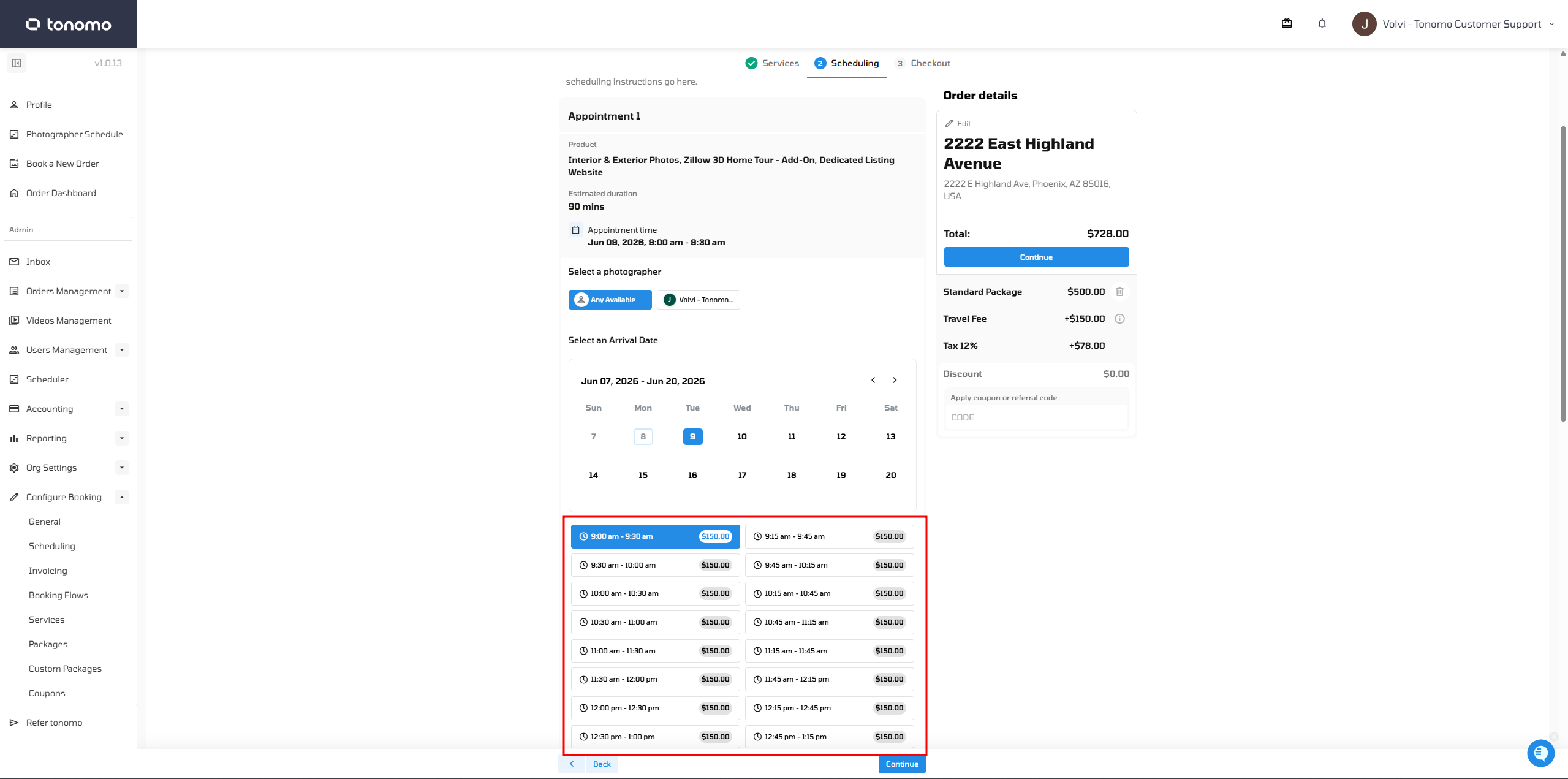
The arrival window functions as a buffer period, letting your client know the photographer will arrive sometime within that range rather than at an exact time.
How does it appear in Email Templates?
The Client Arrival Window Duration doesn't have a separate variable for email templates. Instead, it uses the existing {{scheduled_time}} variable and overrides it to display the arrival window.
This means that whenever the arrival window is enabled, the email template will show the arrival window range in place of the standard scheduling hours, with no extra setup needed on your end.
