Add and Configure your Users
Last updated: July 29, 2025
Adding your Staff
Now that you know who should be part of your Staff and understand the different roles available, you can begin adding each team member. There are three ways to add Staff users to your portal:
Invitation – Send an invitation directly from the portal. The user will receive an email with a link to set up their account.
Self-Registration – Allow the user to create their own account via your portal’s login page. Once registered, you can assign them the appropriate permission level and role (e.g., Staff or Contractor).
Pre-Created Account – Manually add the user and fill in their details, including assigning their permission level and role.
Here are the steps on how to add your Staff:
By Invitation
Follow these steps to invite a new staff member to your Tonomo portal:
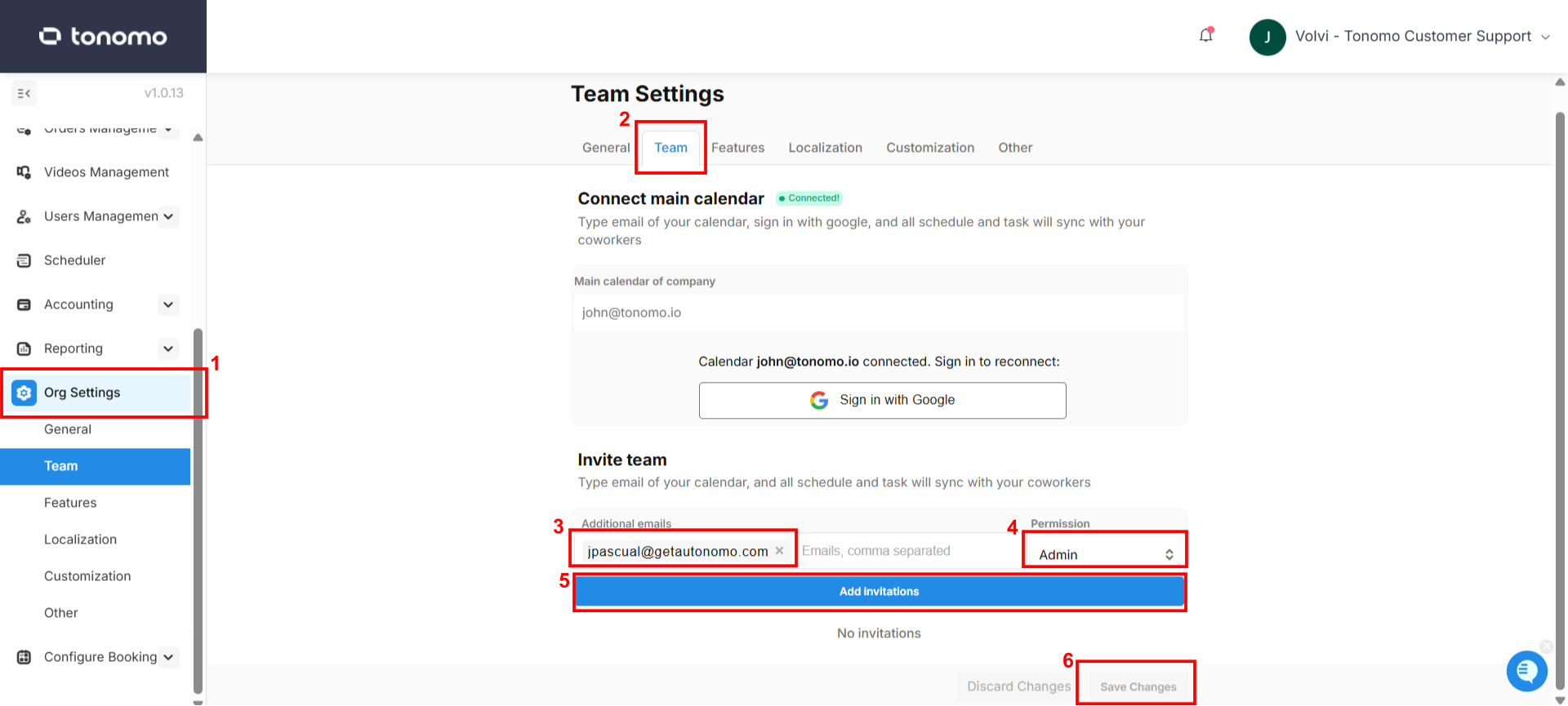
On your Tonomo portal, click Org Settings from the left-hand menu.
Click the Team section.
Enter the staff member’s email address (you can add multiple emails with the same permission level).
Select the appropriate permission level for the staff member(s).
Click Add Invitations below the email field.
Click Save Changes to send the invitation.
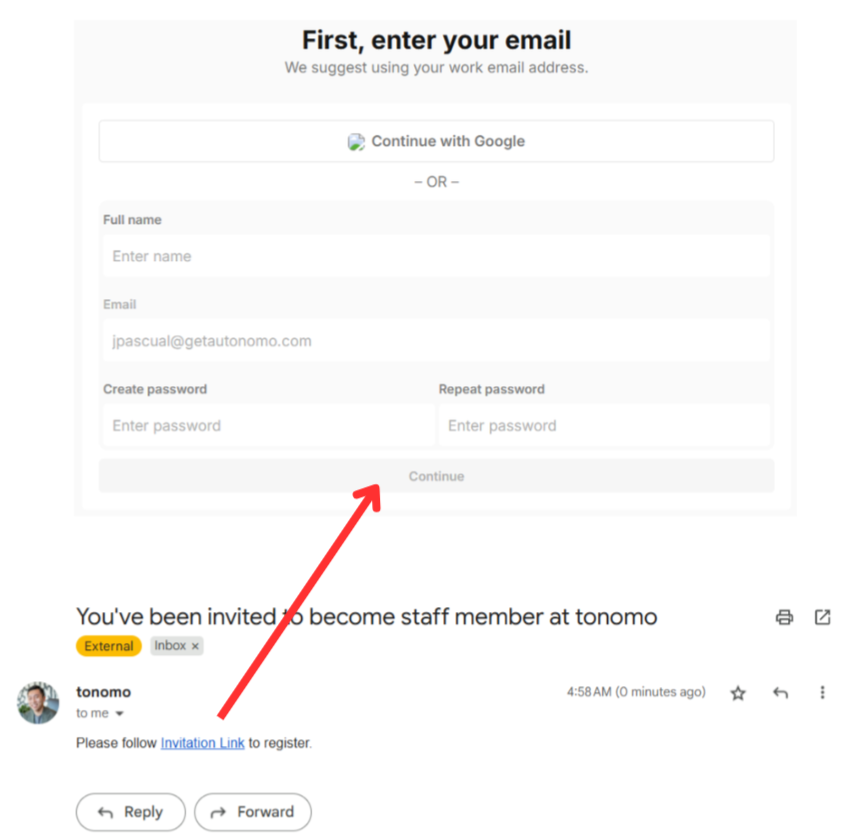
If the invitation email isn’t in their inbox, ask them to check their All Mail, Promotions, or Spam folders.
Self-Registration
There are two parts required for self-registration to work:
The first method is to have your staff create their own account—during registration, they can choose to sign up using (1) phone number, (2) Google Sign-In, or (3) email and password.
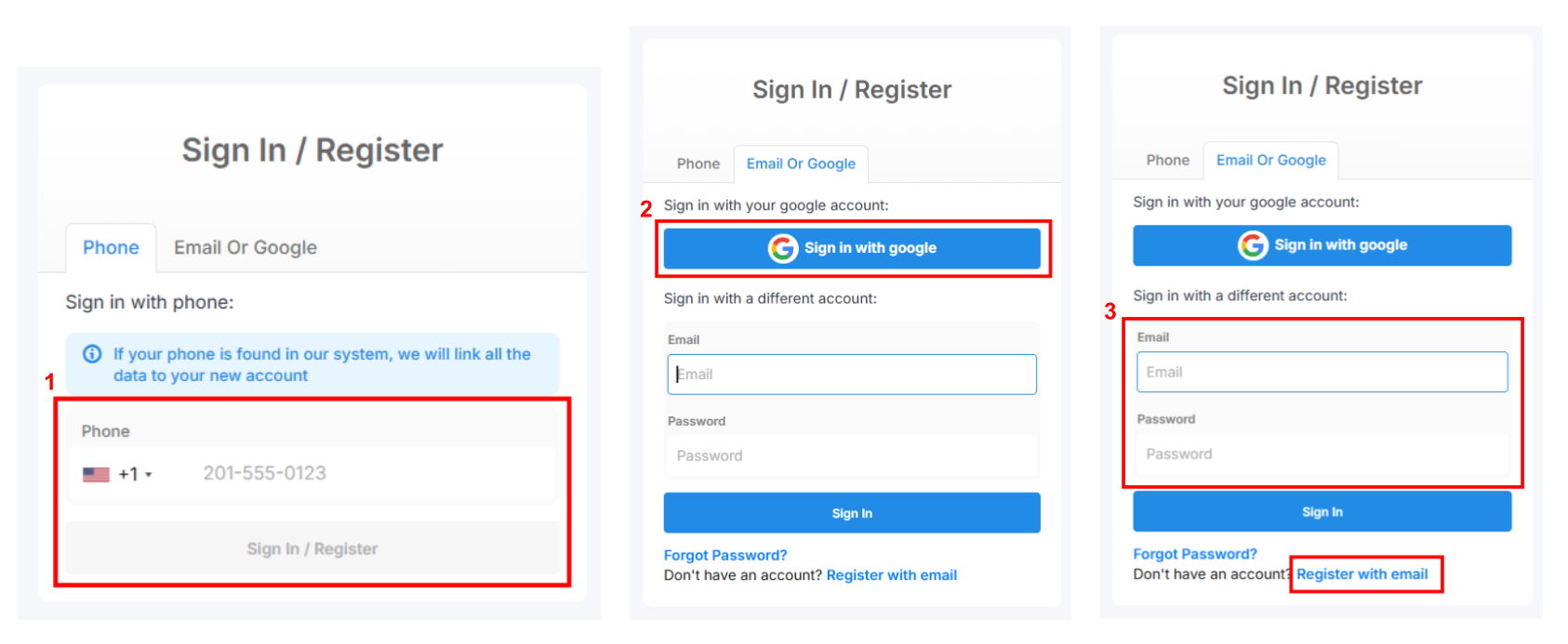
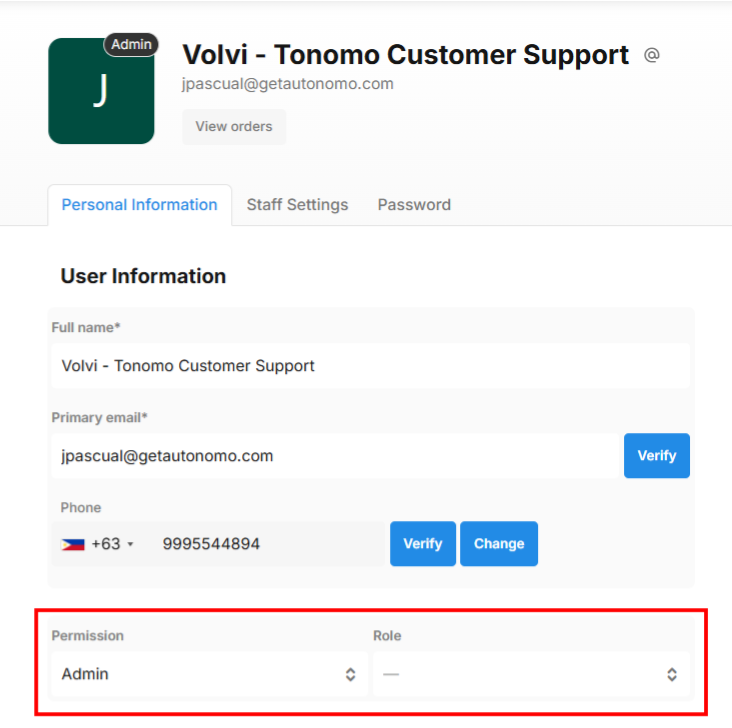
Then, an admin should go to the staff member’s profile and assign the correct permission level and role.
Pre-Created Account
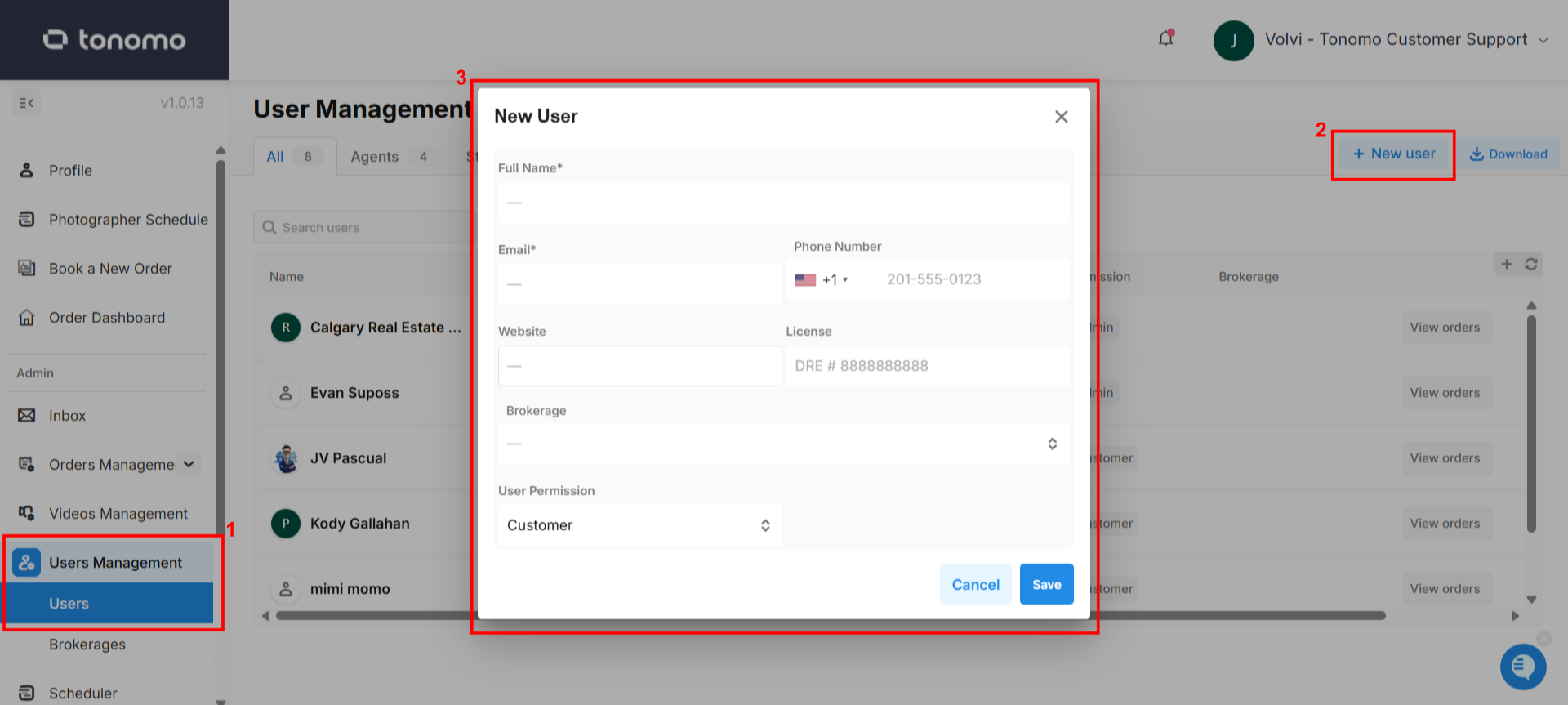
The admin will need to manually add the user under Users Management > User and fill out the required details, including assigning their permission level and role. When the user logs in using the same email or phone number, the system will automatically detect and link the pre-created account.